> ## Documentation Index
> Fetch the complete documentation index at: https://docs.meetsquad.ai/llms.txt
> Use this file to discover all available pages before exploring further.
# Actions
> The concrete next steps Squad suggests off the back of an insight. What to do, in order.
An action is a concrete next step Squad suggests off the back of an insight, *"what to do,
in order"*. Most are plain tasks ("message engineering for an estimate", "confirm the SSO
scope"); some come with a chat prompt so you can start working them with Squad in one click.
Actions are never forced into becoming documents. Turning one into a one-pager is a choice,
not a requirement.
 ## What an action carries
| Field | What it holds |
| ------------------------------------------------ | ------------------------------------------------------------------------- |
| **Title** | The one-line task. |
| **Description** | A short paragraph of what to do. |
| **Why it matters** | Squad's rationale for suggesting it (shown only when present). |
| **Priority** | **P0**, **P1**, or **P2**, highest first. |
| **Effort** | **Low**, **Medium**, or **High**. |
| **Category** | Operational, Product, Comms, Strategic, or Workspace. |
| **Owner** | The workspace member on the hook, shown as an avatar. |
| **Notes** | A free-text scratchpad you can edit on the detail page. |
| **Linked** | The insight it came from (`IN-4`) and any one-pager it produced (`OP-7`). |
Every action has an ID like `AC-12`. You'll see it on cards, in search, and at the top of the
detail page.
## Where actions appear
Actions show up in three places, and all three stay live. Start, complete, or reprioritise an
action anywhere and every surface updates on its own:
The **Prioritized Actions** widget lists your highest-priority open actions across the
workspace.
The full list, reached from **Actions** in the sidebar.
Under **Squad recommends**, the actions suggested for that one insight.
## The Actions page
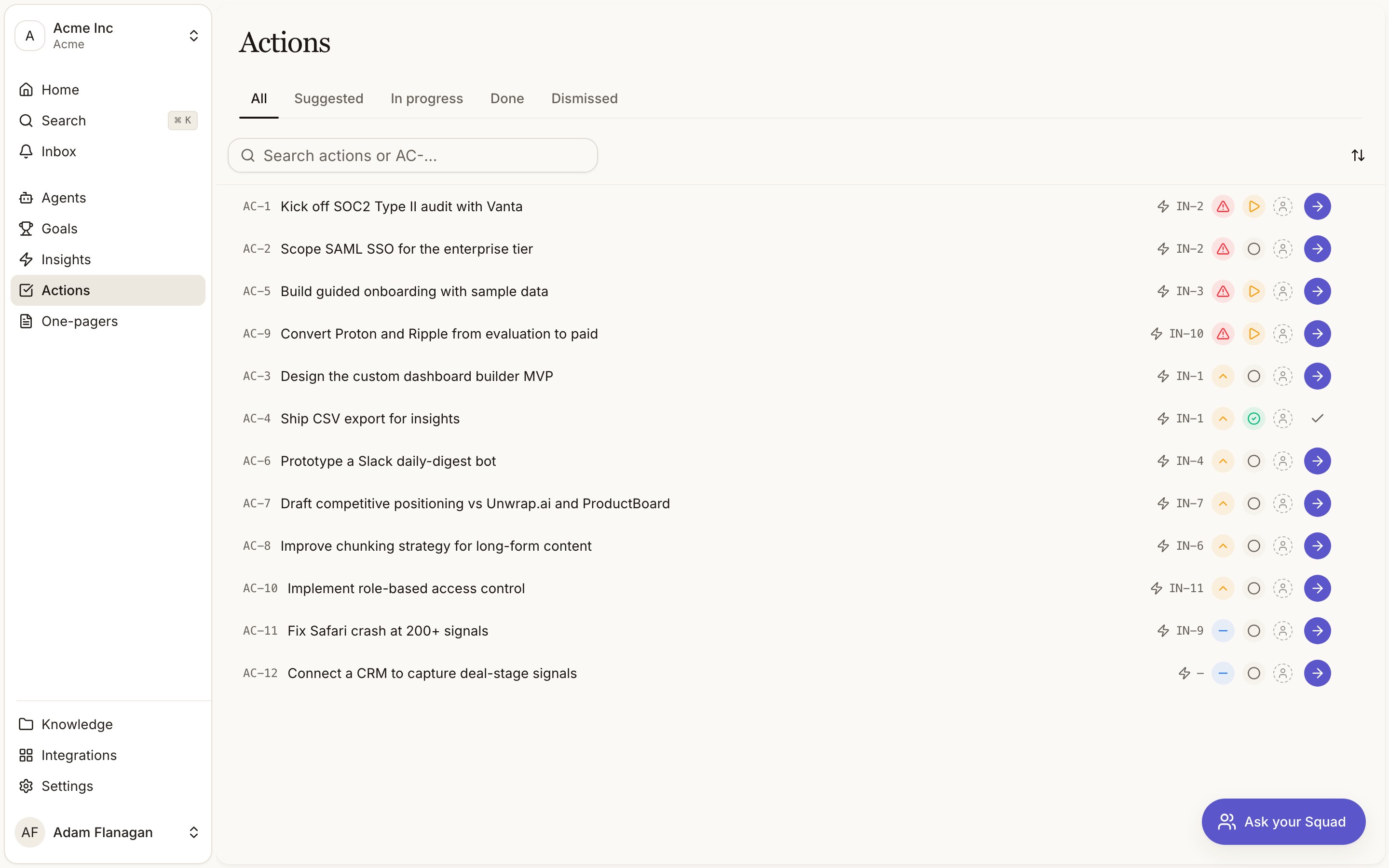
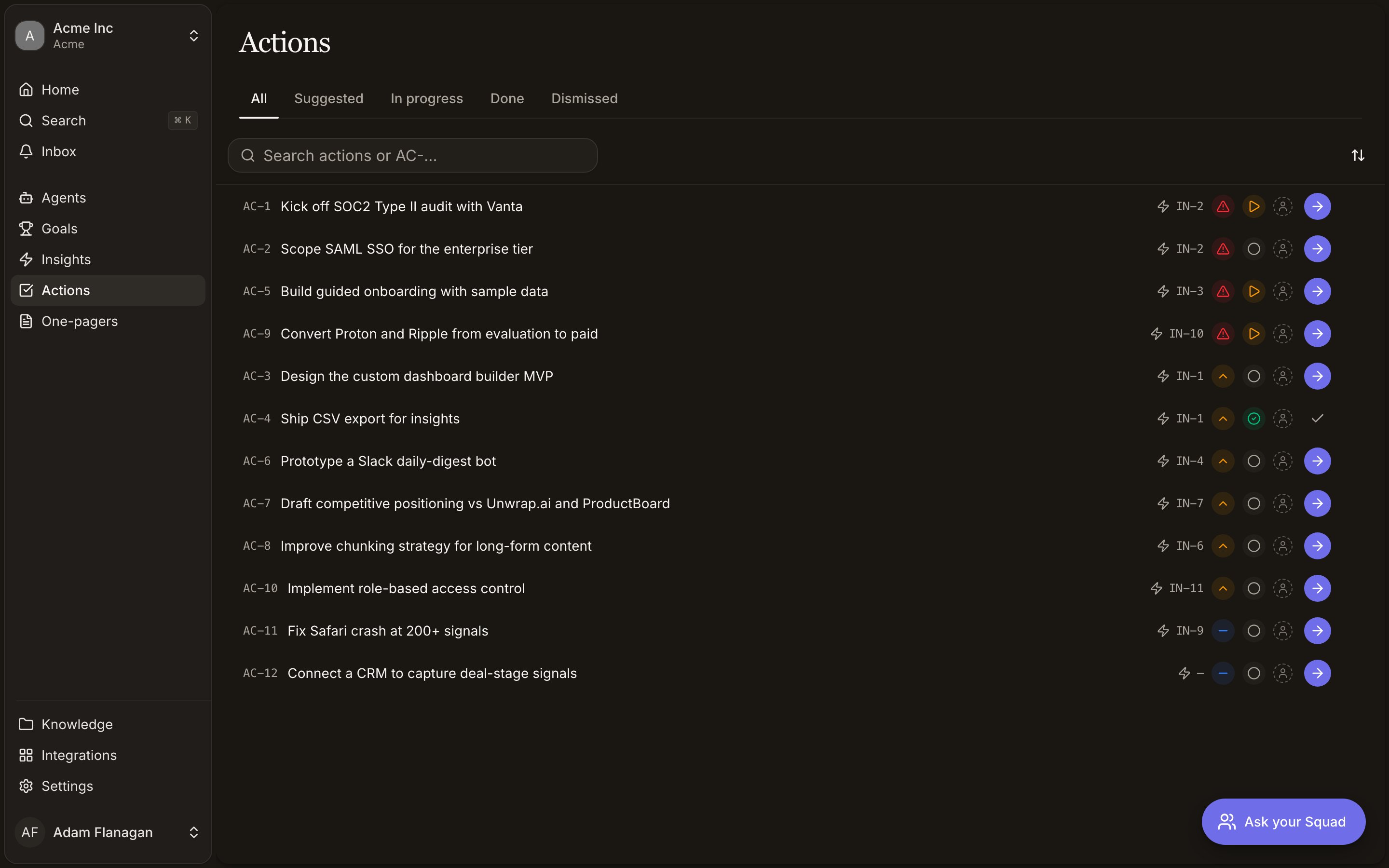
The list is grouped by tabs: **All**, **Suggested**, **In progress**, **Done**, and
**Dismissed**. Rows are sorted by priority (P0 → P1 → P2). Each row shows the `AC-` ID, title,
the source insight (`IN-`), a priority chip, a status chip, and the owner's avatar. Use the
search box (**Search actions or AC-…**) to filter by title or ID.
You can act on a row without opening it:
* Change **Priority** or **Status** inline from the chips.
* Assign an **Owner** from the avatar cell.
* The arrow button on the right is **Start with Squad** (or **Continue with Squad** once the
action is in progress). It only appears while there's something to work.
* The **⋯** menu holds the rest: **Mark done**, **Snooze 3 days**, **Dismiss**,
**Generate PRD** / **Generate decision brief**, jump to the linked insight or one-pager, and
**Copy** the `AC-` ID.
Click anywhere else on a row to open the action's detail page.
## The action detail page
Opening `AC-12` gives you the full view: the **Description**, **Why it matters**, and a
**Notes** editor you can type into freely. A right-hand **Info** panel lets you change
**Status**, **Priority**, **Effort**, **Category**, and **Owner**, and shows what the action is
**Linked** to. If an action isn't linked yet, use the link picker there to attach an existing
insight or one-pager.
Two buttons sit below the panel:
* **Start with Squad** (or **Continue with Squad** if the action is already in progress).
* **Create one-pager**, which opens a menu to **Generate PRD** or **Generate decision brief**.
This is hidden once the action has already produced a one-pager.
The `⋯` menu in the top corner mirrors the row menu.
## Statuses and the lifecycle
An action moves through four states:
Freshly proposed by Squad, waiting on you.
You've started it (or set it yourself).
Completed. It drops off the dashboard and the open lists, and the dashboard's **Actions
completed** count ticks up.
Set aside as not worth doing.
The lifecycle is `Suggested → In progress → Done`, with **Dismissed** available at any point.
There's no separate "drafting" state. Generating a one-pager is a command on the action, not a
status.
## Starting, finishing, and dismissing
* **Start with Squad** opens the chat, seeds it with the action's prompt (with the action
referenced), and sends it. Squad picks up the task with full context, and the action moves
to **In progress**. Every action can be started; if it has no author-written prompt, Squad
builds one from its title, description, and rationale.
* **Mark done** completes the action.
* **Snooze 3 days** tucks it away for a few days.
* **Dismiss** removes an action that isn't worth doing. On an insight, dismissed actions collapse
under a **Show dismissed** toggle so you can still see what was passed over.
## Owners and assignment
Every action can have one owner. Click the avatar (on a row) or the **Owner** field (on the
detail page) to open the member list, then pick someone, or choose **Unassign** to clear it.
Unassigned actions show a dashed placeholder avatar. The owner's face then follows the action
everywhere it appears.
## Turning an action into a one-pager
When an action's real job is a written artefact (a spec, a recommendation), you can have Squad
draft one directly. Choose **Generate PRD** (product requirements) or **Generate decision
brief** (a build/defer/research recommendation) from the row menu, the detail page, or the
**Squad recommends** list.
Squad drafts in the background. The action shows a **Building…** badge, then a green `OP-`
badge linking to the finished draft. If drafting fails, you'll see a **Failed** badge. Each
action produces at most one one-pager. Once it has, the generate options disappear and the
menu offers **Open one-pager** instead. See [One-pagers](/one-pagers) for what happens next.
## Squad recommends (on insights)
On an insight's detail page, the **Squad recommends** panel lists the actions tied to that
insight, sorted by priority, each with its `AC-` ID and priority chip. If an insight has no
actions yet, you can trigger Squad to rank and propose some; the panel shows a working state
while it thinks, and fills in as actions arrive. Dismissed suggestions hide behind a
**Show dismissed** toggle.
## Cookbook
**From insight to done.** Open a high-scoring insight, read its **Squad recommends** list, and
pick the action that matters. Hit **Start with Squad** to hand it to the chat with full context.
Work it through, then come back and **Mark done**. The action leaves your open lists.
**Clear the deck each morning.** Open the dashboard, scan **Prioritized Actions** top to bottom,
and triage: assign an **Owner** to the ones that belong to a teammate, **Start** the P0 you'll
tackle first, and **Dismiss** anything that's no longer worth doing. Everything you touch updates
across the app instantly.
**Draft a spec from an action.** On an action whose job is to write something up, choose
**Generate PRD** (or **Generate decision brief**). Watch for the **Building…** badge, then click
the green `OP-` badge when it turns up to open and edit the draft. From there it's a
[one-pager](/one-pagers) with full version history.
## What an action carries
| Field | What it holds |
| ------------------------------------------------ | ------------------------------------------------------------------------- |
| **Title** | The one-line task. |
| **Description** | A short paragraph of what to do. |
| **Why it matters** | Squad's rationale for suggesting it (shown only when present). |
| **Priority** | **P0**, **P1**, or **P2**, highest first. |
| **Effort** | **Low**, **Medium**, or **High**. |
| **Category** | Operational, Product, Comms, Strategic, or Workspace. |
| **Owner** | The workspace member on the hook, shown as an avatar. |
| **Notes** | A free-text scratchpad you can edit on the detail page. |
| **Linked** | The insight it came from (`IN-4`) and any one-pager it produced (`OP-7`). |
Every action has an ID like `AC-12`. You'll see it on cards, in search, and at the top of the
detail page.
## Where actions appear
Actions show up in three places, and all three stay live. Start, complete, or reprioritise an
action anywhere and every surface updates on its own:
The **Prioritized Actions** widget lists your highest-priority open actions across the
workspace.
The full list, reached from **Actions** in the sidebar.
Under **Squad recommends**, the actions suggested for that one insight.
## The Actions page
The list is grouped by tabs: **All**, **Suggested**, **In progress**, **Done**, and
**Dismissed**. Rows are sorted by priority (P0 → P1 → P2). Each row shows the `AC-` ID, title,
the source insight (`IN-`), a priority chip, a status chip, and the owner's avatar. Use the
search box (**Search actions or AC-…**) to filter by title or ID.
You can act on a row without opening it:
* Change **Priority** or **Status** inline from the chips.
* Assign an **Owner** from the avatar cell.
* The arrow button on the right is **Start with Squad** (or **Continue with Squad** once the
action is in progress). It only appears while there's something to work.
* The **⋯** menu holds the rest: **Mark done**, **Snooze 3 days**, **Dismiss**,
**Generate PRD** / **Generate decision brief**, jump to the linked insight or one-pager, and
**Copy** the `AC-` ID.
Click anywhere else on a row to open the action's detail page.
## The action detail page
Opening `AC-12` gives you the full view: the **Description**, **Why it matters**, and a
**Notes** editor you can type into freely. A right-hand **Info** panel lets you change
**Status**, **Priority**, **Effort**, **Category**, and **Owner**, and shows what the action is
**Linked** to. If an action isn't linked yet, use the link picker there to attach an existing
insight or one-pager.
Two buttons sit below the panel:
* **Start with Squad** (or **Continue with Squad** if the action is already in progress).
* **Create one-pager**, which opens a menu to **Generate PRD** or **Generate decision brief**.
This is hidden once the action has already produced a one-pager.
The `⋯` menu in the top corner mirrors the row menu.
## Statuses and the lifecycle
An action moves through four states:
Freshly proposed by Squad, waiting on you.
You've started it (or set it yourself).
Completed. It drops off the dashboard and the open lists, and the dashboard's **Actions
completed** count ticks up.
Set aside as not worth doing.
The lifecycle is `Suggested → In progress → Done`, with **Dismissed** available at any point.
There's no separate "drafting" state. Generating a one-pager is a command on the action, not a
status.
## Starting, finishing, and dismissing
* **Start with Squad** opens the chat, seeds it with the action's prompt (with the action
referenced), and sends it. Squad picks up the task with full context, and the action moves
to **In progress**. Every action can be started; if it has no author-written prompt, Squad
builds one from its title, description, and rationale.
* **Mark done** completes the action.
* **Snooze 3 days** tucks it away for a few days.
* **Dismiss** removes an action that isn't worth doing. On an insight, dismissed actions collapse
under a **Show dismissed** toggle so you can still see what was passed over.
## Owners and assignment
Every action can have one owner. Click the avatar (on a row) or the **Owner** field (on the
detail page) to open the member list, then pick someone, or choose **Unassign** to clear it.
Unassigned actions show a dashed placeholder avatar. The owner's face then follows the action
everywhere it appears.
## Turning an action into a one-pager
When an action's real job is a written artefact (a spec, a recommendation), you can have Squad
draft one directly. Choose **Generate PRD** (product requirements) or **Generate decision
brief** (a build/defer/research recommendation) from the row menu, the detail page, or the
**Squad recommends** list.
Squad drafts in the background. The action shows a **Building…** badge, then a green `OP-`
badge linking to the finished draft. If drafting fails, you'll see a **Failed** badge. Each
action produces at most one one-pager. Once it has, the generate options disappear and the
menu offers **Open one-pager** instead. See [One-pagers](/one-pagers) for what happens next.
## Squad recommends (on insights)
On an insight's detail page, the **Squad recommends** panel lists the actions tied to that
insight, sorted by priority, each with its `AC-` ID and priority chip. If an insight has no
actions yet, you can trigger Squad to rank and propose some; the panel shows a working state
while it thinks, and fills in as actions arrive. Dismissed suggestions hide behind a
**Show dismissed** toggle.
## Cookbook
**From insight to done.** Open a high-scoring insight, read its **Squad recommends** list, and
pick the action that matters. Hit **Start with Squad** to hand it to the chat with full context.
Work it through, then come back and **Mark done**. The action leaves your open lists.
**Clear the deck each morning.** Open the dashboard, scan **Prioritized Actions** top to bottom,
and triage: assign an **Owner** to the ones that belong to a teammate, **Start** the P0 you'll
tackle first, and **Dismiss** anything that's no longer worth doing. Everything you touch updates
across the app instantly.
**Draft a spec from an action.** On an action whose job is to write something up, choose
**Generate PRD** (or **Generate decision brief**). Watch for the **Building…** badge, then click
the green `OP-` badge when it turns up to open and edit the draft. From there it's a
[one-pager](/one-pagers) with full version history.