> ## Documentation Index
> Fetch the complete documentation index at: https://docs.meetsquad.ai/llms.txt
> Use this file to discover all available pages before exploring further.
# Briefs
> PRDs and decision briefs Squad drafts from your evidence, with a live trail back to the quotes behind every claim.
A brief is the document at the end of the chain. You point Squad at an insight, pick a type, and
it drafts a first pass that cites the evidence it used. You edit it, review it, and make the call.
Every brief carries a `BR-` reference, a status, and a live evidence trail back to the signals,
insights, goals, and documents it draws on.
 For where briefs sit in the chain, see [The evidence pipeline](/pipeline).
## The two types
A product requirements draft covering problem, users, requirements and scope. Use it when you
have decided what to build and need a spec you can refine and circulate.
Use it when the call is still open. It lays out the cited case for and against, records how many
signals support versus counter the idea, and leads with **Build**, **Defer**, or **Research**.
It's the format behind the dashboard's **Briefs to review**.
You pick the type when you generate. A PRD can't become a decision brief afterwards. Decision
briefs carry a **Decision** badge everywhere they appear, next to their recommendation.
## Generating one
Every route runs the same drafting pass. Squad reads the source evidence, drafts the body in the
background, and cites what it used.
Click **Create brief**. **Start from a template** creates an editable document straight away
from one of four structures: **Decision Brief**, **PRD**, **Leadership Memo**, or **One Pager**.
Under **Or generate with Squad**, search for the insight the document should be built from,
choose PRD or Decision brief, and click **Generate**. Squad drops you on the new page while it
drafts.
On any action, choose **Generate PRD** or **Generate decision brief**. This is the common route,
because the action already knows which insight it came from. See [Actions](/actions).
Starting an action opens a chat seeded with its context. Squad can research and write there,
filing the result in your knowledge base.
While it's **building**, the body shows a live drafting status over a blurred editor. Work
elsewhere and come back, or press **Cancel and start blank** to write it yourself.
If drafting **fails**, the body explains why (Squad could not verify the citations, or drafting
timed out) and offers **Retry** or **Start blank**. A brief created from an insight, action, or
prompt that still has an empty body shows a **Draft** panel in the sidebar. Use **Generate with
Squad** there, or start typing.
## The lifecycle
Five statuses, shown as a badge you can click to change (except while building):
Squad is drafting. The body is locked.
The body is editable. This is where you rework Squad's first pass.
Submitted for someone to look at. This is the state the dashboard's **Briefs to review** panel
watches for.
Settled and read-only until you move it back to draft. On a decision brief this same state reads
**Decided**.
Drafting didn't produce a usable body.
Change status from the **Status** row in the sidebar, the badge in the library, or the action menu.
Only drafts are editable. Squad rejects edits in any other status, so the editor stays read-only
until you move a document back to **Draft**.
## Deciding a decision brief
A decision brief is finished when you make the call, not when the body is written.
On a brief, the terminal state reads **Mark decided** rather than "Mark as finalised". It opens a
dialog where you confirm or change the recommendation (**Build**, **Defer**, or **Research**) and
commit. The brief moves to **Decided** and its badge locks to your final call. Until then the
recommendation shows as **Pending**.
Decide from the status badge, the action menu, or straight from the dashboard's **Calls to make**.
The row leaves that list once the call is made.
The **Info** panel shows the evidence balance the draft was built on ("N for, N against") and the
confidence at drafting time.
## Tracking the build
The **Info** panel carries a **Linear** row once the [Linear integration](/integrations/linear) is
connected. Click **Link**, paste an issue URL or an identifier like `ENG-123`, or search your issues
and pick one. The row then shows a pill with the identifier, the state Linear last reported, and a
click through to the ticket. The pill's own remove button unlinks it.
One issue links to one Squad brief or action. Squad says so if the one you picked is already
taken, and the state on the badge is as of the last event Linear sent rather than a live read.
## Evidence and citations
The sidebar **Evidence** panel groups everything the document draws on into **Goals**, **Insights**,
**Signals**, and **Documents**. Each entry is a chip that opens that entity, so you can go from a
claim in the brief to the `SI-` quote behind it in one click.
The trail is derived from the body itself. Reference an entity in the text and Squad links it as
evidence. Remove the reference and the link goes with it. The panel updates live as you edit. A body
that references nothing shows "No evidence linked yet."
## Reviewing and editing
Open a brief from the library or from any linked reference. In **Draft**, the body is a full
editor. Edit the title inline, rework the draft, add or remove references. **History** shows every
change and a badge marks who last touched it, you or Squad.
Use the action menu to **Copy as markdown** or **Download .md** to take it outside Squad, or
**Push to Linear** to turn the brief into an issue with a sub-issue per action it produced. All
three appear once there's a body to export. **Delete** removes the brief.
## The library
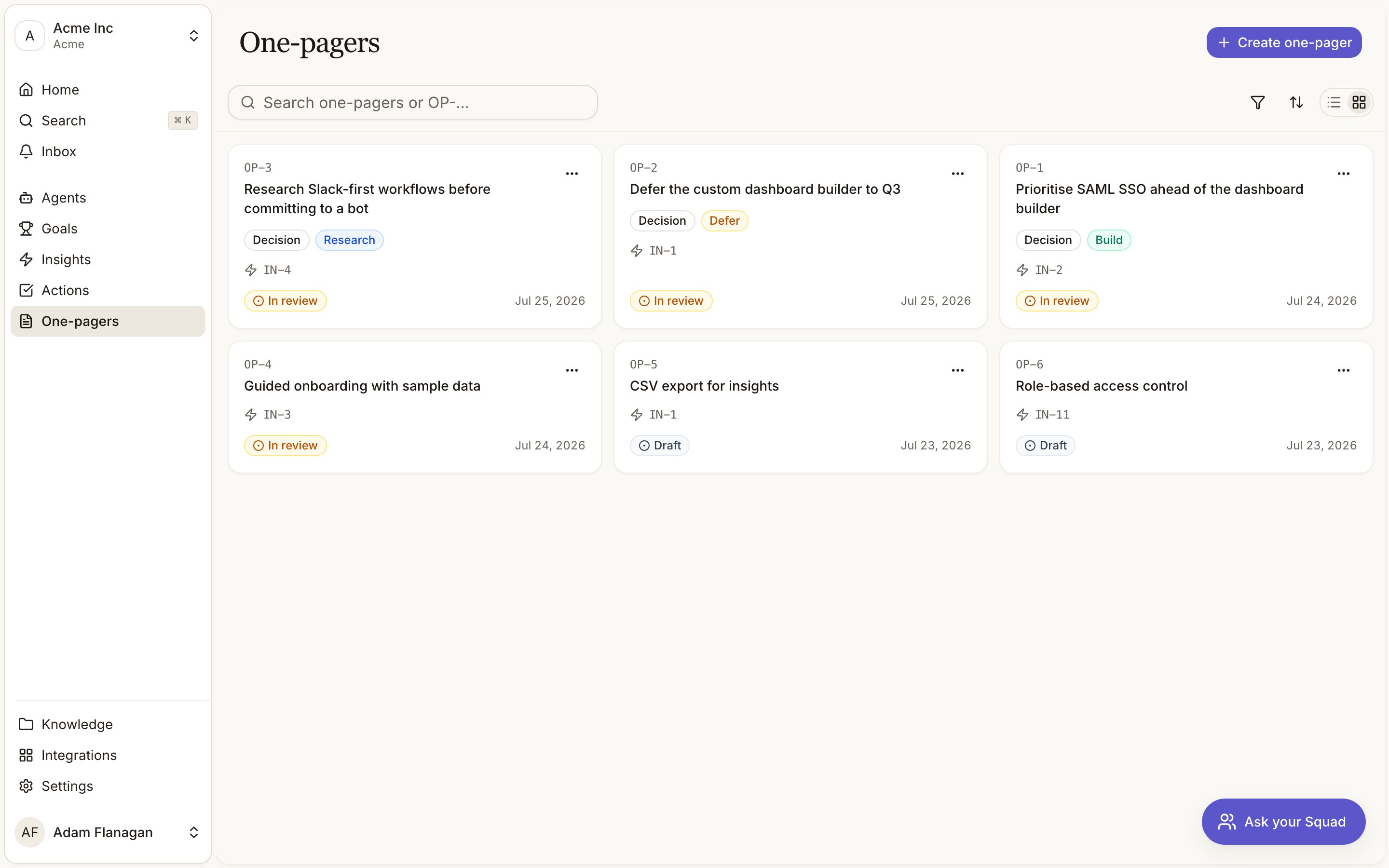
The Briefs page lists everything in the workspace, most recently updated first. It opens as a
card grid, with a list view available. Each card shows the `BR-` reference, the title (or
"Drafting…" while building), the source insight, a clickable status badge, and when it last changed.
Decision briefs also show their **Decision** badge and current recommendation.
Search with **Search briefs or BR-…** and use the **Status** filter to pull up everything **In
review**, or every **Decided** brief. Documents created or updated anywhere appear here without a
refresh.
## Cookbook
**Turn a strong insight into a shareable PRD.** Click **Create brief**, search for the insight,
choose **PRD**, and generate. Wait for it to leave **Building**, then tighten the requirements while
it's in **Draft**. Check the **Evidence** panel to confirm the claims trace to real signals. Move
it to **In review**, or copy it as markdown into your spec tool.
**Make a Build, Defer, or Research call.** On the action, choose **Generate decision brief**. Once
drafted, read the cited case and check the "for, against" balance in **Info**. Edit anything you
disagree with while it's in **Draft**, move it to **In review** so it lands in **Briefs to review**,
then click the status badge and **Mark decided**.
**Recover a draft that didn't generate.** Open a brief in **Failed**. The body explains what
went wrong. Click **Retry** if the source still looks right, or **Start blank** to write it
yourself. Either way it keeps its `BR-` reference and its place in the library.
For where briefs sit in the chain, see [The evidence pipeline](/pipeline).
## The two types
A product requirements draft covering problem, users, requirements and scope. Use it when you
have decided what to build and need a spec you can refine and circulate.
Use it when the call is still open. It lays out the cited case for and against, records how many
signals support versus counter the idea, and leads with **Build**, **Defer**, or **Research**.
It's the format behind the dashboard's **Briefs to review**.
You pick the type when you generate. A PRD can't become a decision brief afterwards. Decision
briefs carry a **Decision** badge everywhere they appear, next to their recommendation.
## Generating one
Every route runs the same drafting pass. Squad reads the source evidence, drafts the body in the
background, and cites what it used.
Click **Create brief**. **Start from a template** creates an editable document straight away
from one of four structures: **Decision Brief**, **PRD**, **Leadership Memo**, or **One Pager**.
Under **Or generate with Squad**, search for the insight the document should be built from,
choose PRD or Decision brief, and click **Generate**. Squad drops you on the new page while it
drafts.
On any action, choose **Generate PRD** or **Generate decision brief**. This is the common route,
because the action already knows which insight it came from. See [Actions](/actions).
Starting an action opens a chat seeded with its context. Squad can research and write there,
filing the result in your knowledge base.
While it's **building**, the body shows a live drafting status over a blurred editor. Work
elsewhere and come back, or press **Cancel and start blank** to write it yourself.
If drafting **fails**, the body explains why (Squad could not verify the citations, or drafting
timed out) and offers **Retry** or **Start blank**. A brief created from an insight, action, or
prompt that still has an empty body shows a **Draft** panel in the sidebar. Use **Generate with
Squad** there, or start typing.
## The lifecycle
Five statuses, shown as a badge you can click to change (except while building):
Squad is drafting. The body is locked.
The body is editable. This is where you rework Squad's first pass.
Submitted for someone to look at. This is the state the dashboard's **Briefs to review** panel
watches for.
Settled and read-only until you move it back to draft. On a decision brief this same state reads
**Decided**.
Drafting didn't produce a usable body.
Change status from the **Status** row in the sidebar, the badge in the library, or the action menu.
Only drafts are editable. Squad rejects edits in any other status, so the editor stays read-only
until you move a document back to **Draft**.
## Deciding a decision brief
A decision brief is finished when you make the call, not when the body is written.
On a brief, the terminal state reads **Mark decided** rather than "Mark as finalised". It opens a
dialog where you confirm or change the recommendation (**Build**, **Defer**, or **Research**) and
commit. The brief moves to **Decided** and its badge locks to your final call. Until then the
recommendation shows as **Pending**.
Decide from the status badge, the action menu, or straight from the dashboard's **Calls to make**.
The row leaves that list once the call is made.
The **Info** panel shows the evidence balance the draft was built on ("N for, N against") and the
confidence at drafting time.
## Tracking the build
The **Info** panel carries a **Linear** row once the [Linear integration](/integrations/linear) is
connected. Click **Link**, paste an issue URL or an identifier like `ENG-123`, or search your issues
and pick one. The row then shows a pill with the identifier, the state Linear last reported, and a
click through to the ticket. The pill's own remove button unlinks it.
One issue links to one Squad brief or action. Squad says so if the one you picked is already
taken, and the state on the badge is as of the last event Linear sent rather than a live read.
## Evidence and citations
The sidebar **Evidence** panel groups everything the document draws on into **Goals**, **Insights**,
**Signals**, and **Documents**. Each entry is a chip that opens that entity, so you can go from a
claim in the brief to the `SI-` quote behind it in one click.
The trail is derived from the body itself. Reference an entity in the text and Squad links it as
evidence. Remove the reference and the link goes with it. The panel updates live as you edit. A body
that references nothing shows "No evidence linked yet."
## Reviewing and editing
Open a brief from the library or from any linked reference. In **Draft**, the body is a full
editor. Edit the title inline, rework the draft, add or remove references. **History** shows every
change and a badge marks who last touched it, you or Squad.
Use the action menu to **Copy as markdown** or **Download .md** to take it outside Squad, or
**Push to Linear** to turn the brief into an issue with a sub-issue per action it produced. All
three appear once there's a body to export. **Delete** removes the brief.
## The library
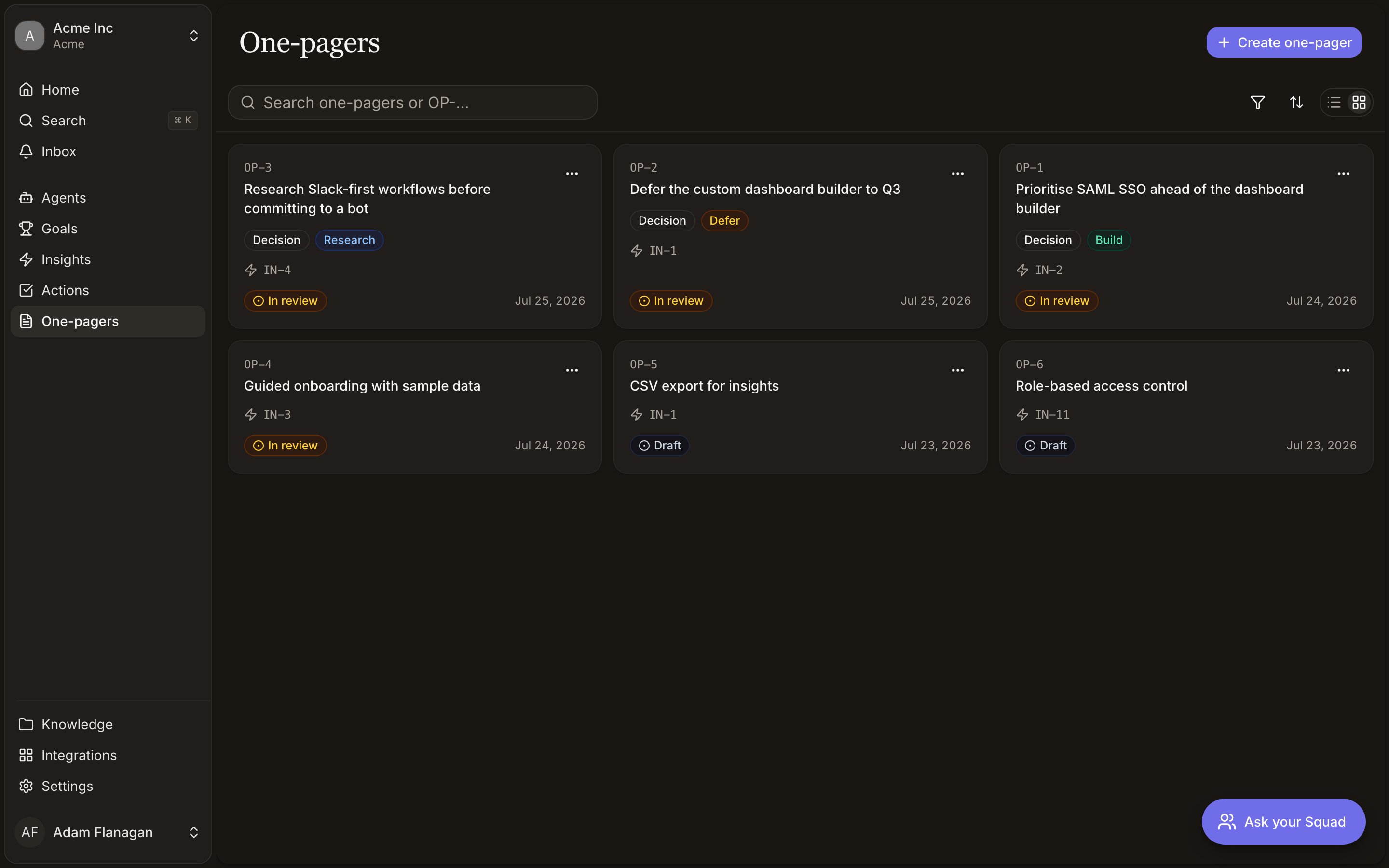
The Briefs page lists everything in the workspace, most recently updated first. It opens as a
card grid, with a list view available. Each card shows the `BR-` reference, the title (or
"Drafting…" while building), the source insight, a clickable status badge, and when it last changed.
Decision briefs also show their **Decision** badge and current recommendation.
Search with **Search briefs or BR-…** and use the **Status** filter to pull up everything **In
review**, or every **Decided** brief. Documents created or updated anywhere appear here without a
refresh.
## Cookbook
**Turn a strong insight into a shareable PRD.** Click **Create brief**, search for the insight,
choose **PRD**, and generate. Wait for it to leave **Building**, then tighten the requirements while
it's in **Draft**. Check the **Evidence** panel to confirm the claims trace to real signals. Move
it to **In review**, or copy it as markdown into your spec tool.
**Make a Build, Defer, or Research call.** On the action, choose **Generate decision brief**. Once
drafted, read the cited case and check the "for, against" balance in **Info**. Edit anything you
disagree with while it's in **Draft**, move it to **In review** so it lands in **Briefs to review**,
then click the status badge and **Mark decided**.
**Recover a draft that didn't generate.** Open a brief in **Failed**. The body explains what
went wrong. Click **Retry** if the source still looks right, or **Start blank** to write it
yourself. Either way it keeps its `BR-` reference and its place in the library.