> ## Documentation Index
> Fetch the complete documentation index at: https://docs.meetsquad.ai/llms.txt
> Use this file to discover all available pages before exploring further.
# Dashboard
> Your daily home. What each widget shows, what drives it, and which ones stay empty on a young workspace.
The dashboard is the home page of your workspace: a greeting, two counters, a health score, the
actions to work through, an activity chart, the one-pagers waiting on you, your connected providers,
and the freshest evidence.
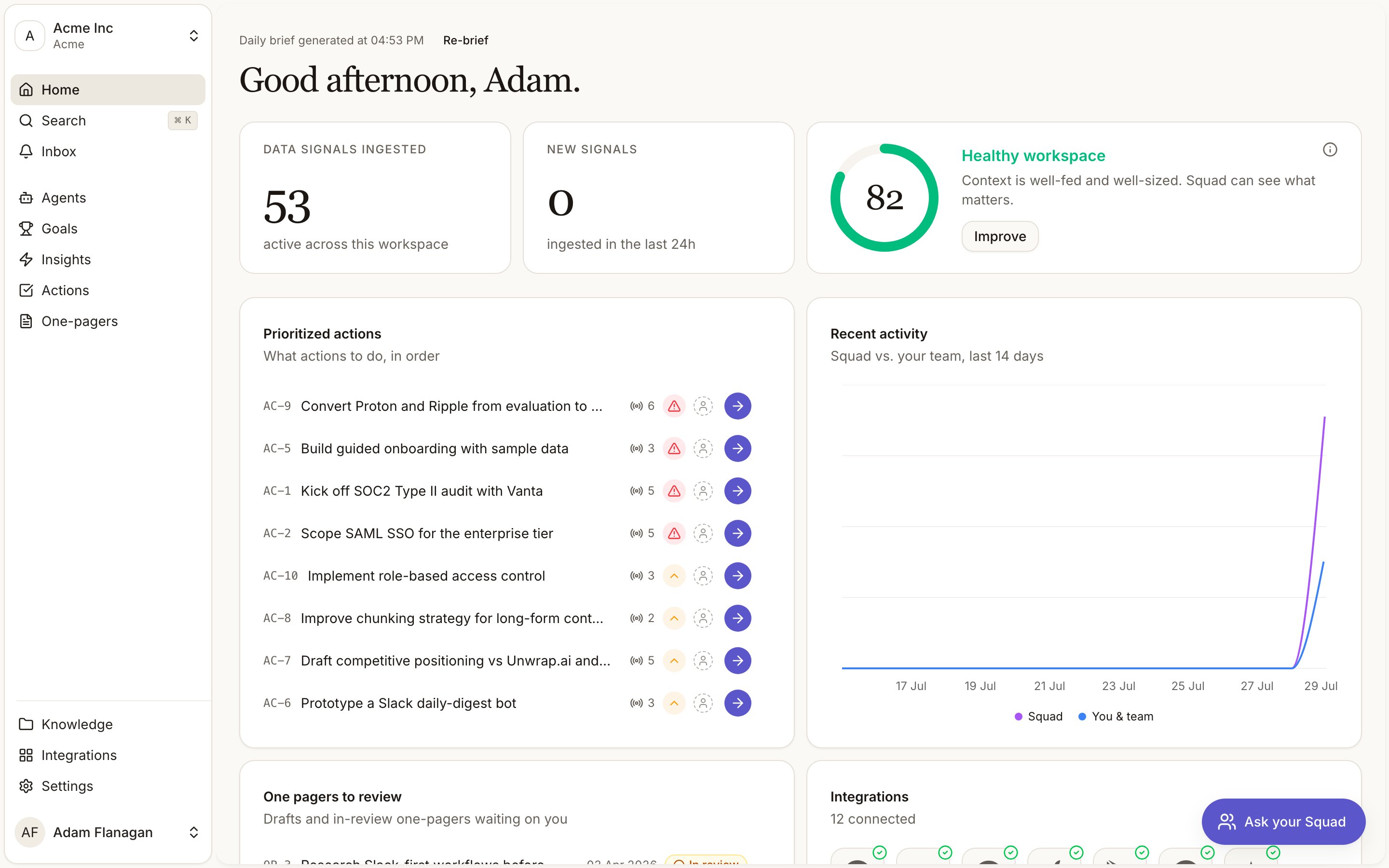
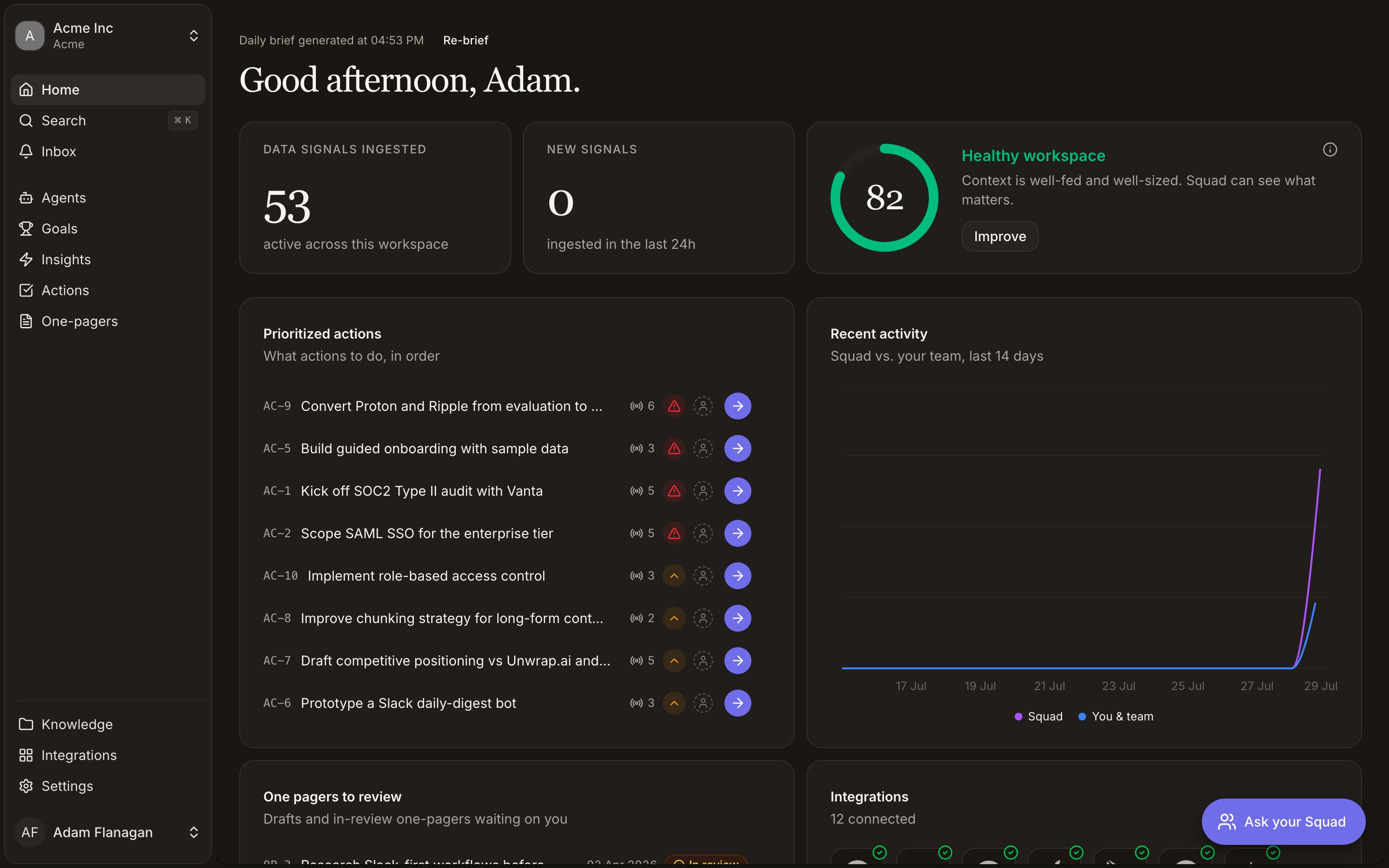 Most of these widgets are driven entirely by workspace data and render an empty state until that
data exists. Which ones, and why, is called out below each.
## The greeting and daily brief
A time-of-day greeting leads with your first name: "Good morning", "Good afternoon", "Good evening",
or "Up late" before 5am. Above it, a caption records when your daily brief was written ("Daily brief
generated at 08:14") with a **Re-brief** button beside it.
The brief is produced once a day and cached, so the page loads instantly. Press **Re-brief** after a
triage session to regenerate it against the current state of the workspace. The button spins while
it works. If no brief can be produced, the caption disappears and you get the plain greeting.
Nothing else on the page is affected.
## Counters and context health
Two counters sit next to a workspace health card.
**Data Signals ingested** counts the active [signals](/signals) in the workspace. **New signals**
counts the ones that arrived in the last 24 hours, so it reads zero on any day nothing came in. Both
link through to the Signals page. If the numbers cannot load, the pills show an error rather than a
misleading zero.
**Context health** scores the workspace from 0 to 100 and labels it Starved, Lean, Healthy, Bloated
or Flooded. Five components make up the score, listed under the info icon in the corner.
| Component | What it measures |
| ------------------------------------- | --------------------------------------------------------------- |
| Coverage | How many kinds of product context Squad has access to |
| Freshness | How recently signals, documents and sources were updated |
| Headroom | How far the knowledge base is from what agents can read at once |
| Uniqueness | How free the knowledge base is of near-duplicate documents |
| Utilization | How much of the gathered context is actually being read |
Press **Improve** for the full breakdown plus a list of recommendations, each with a button that
acts on it: connect an integration, add goals, check an agent, review documents, compact the
knowledge base. A brand new workspace is treated as a cold start and reads "A fresh workspace starts
empty. Connect a source or two to get going."
## Prioritized actions
Headed "Prioritized actions", subhead "What actions to do, in order". It lists open
[actions](/actions) from across the workspace, both suggested and in progress, sorted by priority
(P0, then P1, then P2), then by due date, then by recency, capped at eight. Actions whose underlying
insight has gone stale or been archived drop out.
Due dates show where an action has one, and most actions do not carry a due date at all. An action
without one still appears in the list; its date cell is blank.
Work a row without leaving the page. **Start with Squad** hands the action to the chat with its full
context and moves it to in progress, at which point the button becomes **Continue with Squad**.
Ticking a row marks it done, with a short strikethrough before it leaves the list so a mis-click can
be taken back. Priority and owner are editable inline. The row menu holds **Snooze 3 days**,
**Dismiss**, **Generate PRD** and **Generate decision brief**. Clicking the row opens the action.
With nothing open the widget reads "You're all caught up. New priorities will appear here."
**See all** goes to [Actions](/actions).
## Recent activity
A 14-day chart plotting two lines: **Squad** (what the agents did) against **You & team** (what
people did). It gives you a read on how much of the work is running on its own.
The chart only draws when something happened inside that window. A workspace with no changes in the
last fourteen days shows "No activity in the last 14 days" instead, which is also what you see on a
workspace whose data was loaded further back than that. **See all** goes to [Activity](/activity).
## One pagers to review
[One-pagers](/one-pagers) in draft or in review, up to ten, in either type. Each row carries its
`OP-` reference, the title, when it was last updated, a status you can change from the row, and a
menu. Click the title to open it. The list updates live as documents change anywhere in the
workspace.
With nothing waiting it reads "Nothing waiting on review." **See all** goes to
[One-pagers](/one-pagers).
## Integrations
A grid of provider icons, connected ones first, up to twelve with a `+n` tile for the rest. A green
tick marks a connected provider, an amber badge marks one that still needs setup. The subhead counts
how many are connected. Click any icon to open that provider. **See all** goes to
[Integrations](/integrations).
This one always renders something, because it lists every provider Squad supports rather than only
the ones you've connected.
## New evidence
The ten freshest active [signals](/signals), each shown as a quote with its source. Click a quote to
open the signal. With nothing yet it reads "No new signals yet." **See all** goes to
[Data signals](/signals).
## Getting around from here
The sidebar and the command palette (**Cmd/Ctrl+K**) reach the rest of the workspace.
The sidebar, the command palette and reference chips
Handing the work to Squad instead of doing it yourself
Most of these widgets are driven entirely by workspace data and render an empty state until that
data exists. Which ones, and why, is called out below each.
## The greeting and daily brief
A time-of-day greeting leads with your first name: "Good morning", "Good afternoon", "Good evening",
or "Up late" before 5am. Above it, a caption records when your daily brief was written ("Daily brief
generated at 08:14") with a **Re-brief** button beside it.
The brief is produced once a day and cached, so the page loads instantly. Press **Re-brief** after a
triage session to regenerate it against the current state of the workspace. The button spins while
it works. If no brief can be produced, the caption disappears and you get the plain greeting.
Nothing else on the page is affected.
## Counters and context health
Two counters sit next to a workspace health card.
**Data Signals ingested** counts the active [signals](/signals) in the workspace. **New signals**
counts the ones that arrived in the last 24 hours, so it reads zero on any day nothing came in. Both
link through to the Signals page. If the numbers cannot load, the pills show an error rather than a
misleading zero.
**Context health** scores the workspace from 0 to 100 and labels it Starved, Lean, Healthy, Bloated
or Flooded. Five components make up the score, listed under the info icon in the corner.
| Component | What it measures |
| ------------------------------------- | --------------------------------------------------------------- |
| Coverage | How many kinds of product context Squad has access to |
| Freshness | How recently signals, documents and sources were updated |
| Headroom | How far the knowledge base is from what agents can read at once |
| Uniqueness | How free the knowledge base is of near-duplicate documents |
| Utilization | How much of the gathered context is actually being read |
Press **Improve** for the full breakdown plus a list of recommendations, each with a button that
acts on it: connect an integration, add goals, check an agent, review documents, compact the
knowledge base. A brand new workspace is treated as a cold start and reads "A fresh workspace starts
empty. Connect a source or two to get going."
## Prioritized actions
Headed "Prioritized actions", subhead "What actions to do, in order". It lists open
[actions](/actions) from across the workspace, both suggested and in progress, sorted by priority
(P0, then P1, then P2), then by due date, then by recency, capped at eight. Actions whose underlying
insight has gone stale or been archived drop out.
Due dates show where an action has one, and most actions do not carry a due date at all. An action
without one still appears in the list; its date cell is blank.
Work a row without leaving the page. **Start with Squad** hands the action to the chat with its full
context and moves it to in progress, at which point the button becomes **Continue with Squad**.
Ticking a row marks it done, with a short strikethrough before it leaves the list so a mis-click can
be taken back. Priority and owner are editable inline. The row menu holds **Snooze 3 days**,
**Dismiss**, **Generate PRD** and **Generate decision brief**. Clicking the row opens the action.
With nothing open the widget reads "You're all caught up. New priorities will appear here."
**See all** goes to [Actions](/actions).
## Recent activity
A 14-day chart plotting two lines: **Squad** (what the agents did) against **You & team** (what
people did). It gives you a read on how much of the work is running on its own.
The chart only draws when something happened inside that window. A workspace with no changes in the
last fourteen days shows "No activity in the last 14 days" instead, which is also what you see on a
workspace whose data was loaded further back than that. **See all** goes to [Activity](/activity).
## One pagers to review
[One-pagers](/one-pagers) in draft or in review, up to ten, in either type. Each row carries its
`OP-` reference, the title, when it was last updated, a status you can change from the row, and a
menu. Click the title to open it. The list updates live as documents change anywhere in the
workspace.
With nothing waiting it reads "Nothing waiting on review." **See all** goes to
[One-pagers](/one-pagers).
## Integrations
A grid of provider icons, connected ones first, up to twelve with a `+n` tile for the rest. A green
tick marks a connected provider, an amber badge marks one that still needs setup. The subhead counts
how many are connected. Click any icon to open that provider. **See all** goes to
[Integrations](/integrations).
This one always renders something, because it lists every provider Squad supports rather than only
the ones you've connected.
## New evidence
The ten freshest active [signals](/signals), each shown as a quote with its source. Click a quote to
open the signal. With nothing yet it reads "No new signals yet." **See all** goes to
[Data signals](/signals).
## Getting around from here
The sidebar and the command palette (**Cmd/Ctrl+K**) reach the rest of the workspace.
The sidebar, the command palette and reference chips
Handing the work to Squad instead of doing it yourself