> ## Documentation Index
> Fetch the complete documentation index at: https://docs.meetsquad.ai/llms.txt
> Use this file to discover all available pages before exploring further.
# Roadmap
> Plan, prioritize, and track your product delivery in one flexible view
 ## Overview
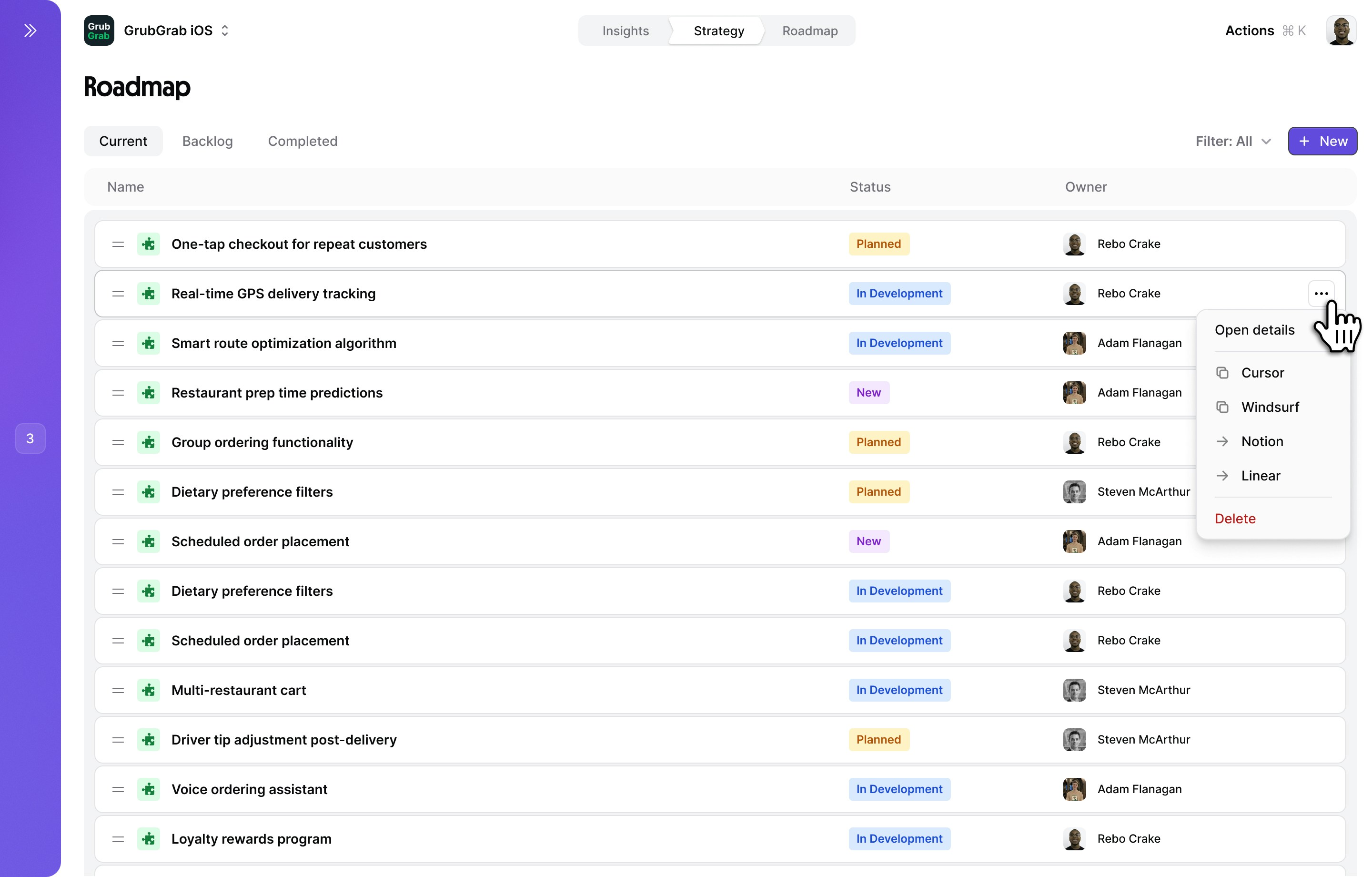
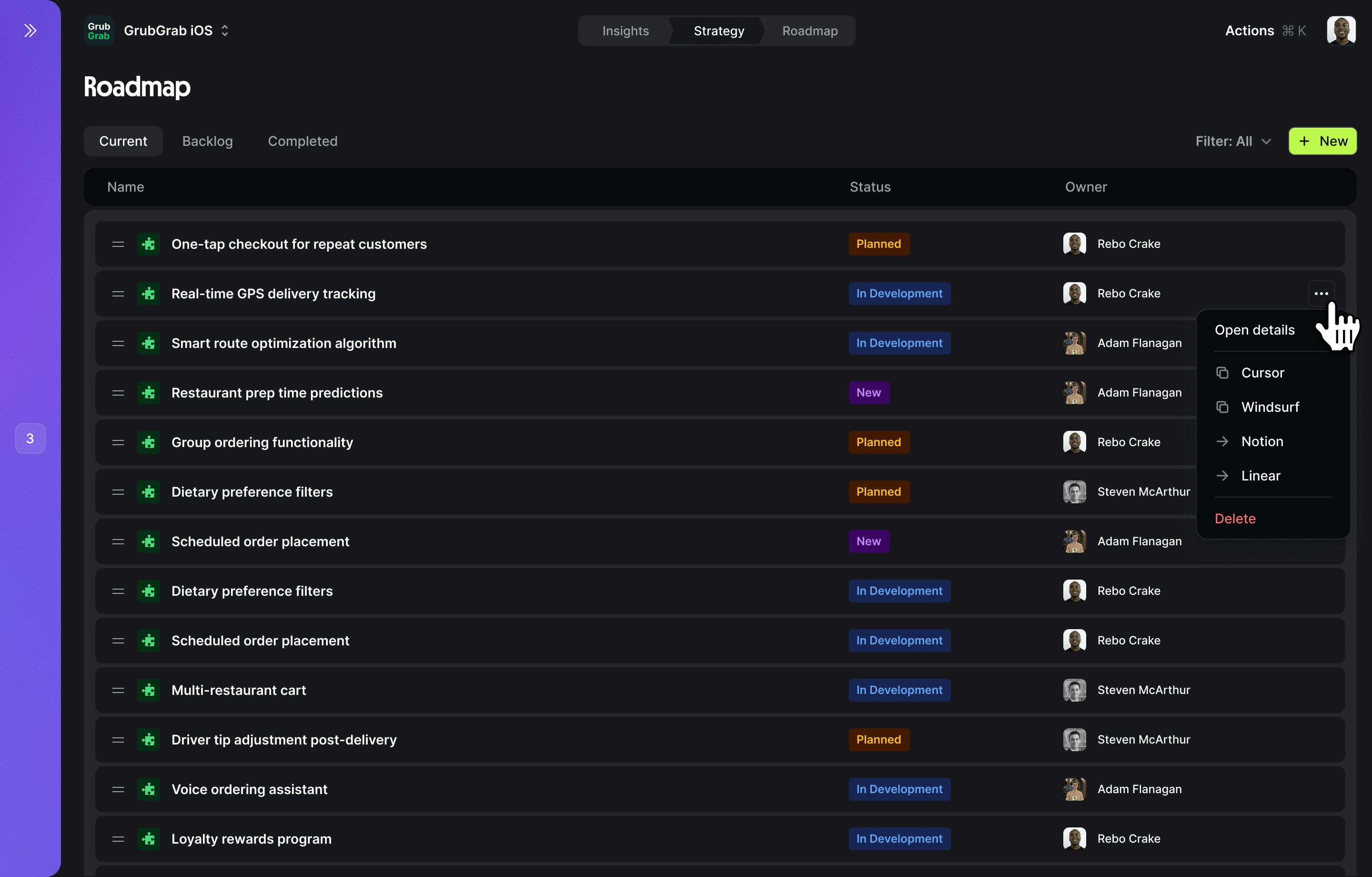
Squad Roadmap transforms your strategy into an actionable delivery plan. Using a kanban board layout, you can visualize and organize solutions across different stages — from goals through to delivery — giving your team a clear picture of what's planned and what's in progress.
Your roadmap automatically syncs with your Strategy Map, ensuring every solution traces back to opportunities and goals.
## Roadmap interface
### Kanban board
The roadmap is organized as a kanban board with four columns:
| Column | Purpose |
| --------- | ------------------------------------------------------------------------------------------------------------------------------------ |
| **Goals** | Your strategic goals with progress indicators and metrics. Each goal card shows an "Add metric" button to track measurable outcomes. |
| **Now** | Solutions actively being worked on right now. |
| **Next** | Solutions queued up and ready to start soon. |
| **Later** | Solutions planned for the future but not yet prioritized for immediate work. |
Drag solution cards between columns to update their stage as work progresses. Each solution card displays a status badge (e.g., "New") so you can see its state at a glance.
### Tabs
The roadmap has two tabs:
**Active roadmap** — Your kanban board showing all in-flight and planned work across the Goals, Now, Next, and Later columns.
**Completed work** — Solutions that have been shipped or resolved. Track what you've delivered and review outcomes.
### Controls
The top control bar provides quick actions:
* **"+ New Solution"** (purple button) — Create a new solution and add it to the board
* **"Export"** — Export your roadmap in various formats
* **"Sort: Custom"** — Change how solutions are ordered (custom, impact, effort, etc.)
* **"Filter: All"** — Filter solutions by status, owner, goal, or other criteria
### Prioritization methods
Drag and drop solutions into your preferred order
Auto-sort by potential impact on your goals
Sort by status, owner, effort, or any custom field
## Managing solutions
### Roadmap actions
* **Drag between columns** — Move solutions from Later → Next → Now as priorities shift
* **Change status** — Click the status badge to update progress
* **Assign owner** — Click the avatar to reassign responsibility
* **View details** — Click anywhere on the card to open the side panel
### Solution details panel
Clicking a solution opens a side panel for deeper work:
* Solution name, description and hypothesis
* Connected opportunity and goal
* Status and progress tracking
```text Example: One-Tap Checkout theme={null}
Solution: Implement one-tap checkout for repeat customers
Opportunity: Payment friction causes 67% checkout abandonment
Goal: Increase order completion rate by 15%
Success Metrics:
- Checkout completion rate > 85%
- Time to payment < 10 seconds
- Payment failures < 2%
Status: In Development (65% complete)
```
Squad auto-generates a PRD or solution one-pager that you can customize:
```markdown theme={null}
# One-Tap Checkout PRD
## Problem Statement
Repeat customers must re-enter payment details for every order,
causing 67% checkout abandonment...
## Proposed Solution
Enable returning users to complete purchases with a single tap...
## User Stories
- As a repeat customer, I want to pay with one tap
- As a user, I want to manage my saved payment methods
## Technical Requirements
- Tokenize and securely store payment methods
- Integrate with Apple Pay and Google Pay
- Support multiple saved cards
## Success Criteria
- 85%+ checkout completion for repeat users
- <10 second checkout flow
- Zero security incidents
```
Use Squad's AI to generate initial PRDs based on your opportunity and solution context.
View and manage all tasks that roll up to this solution:
| Task | Assignee | Status | Due Date |
| ------------------------------ | ------------- | ----------- | -------- |
| Design one-tap UI | Sarah D. | Complete | May 15 |
| Implement payment tokenization | Alex K. | In Progress | May 22 |
| Apple Pay integration | Jordan L. | To Do | May 29 |
| Security audit | Security Team | To Do | June 5 |
| A/B test setup | Data Team | To Do | June 8 |
## Roadmap workflow
Solution moves from a recommended solution on the Strategy Map to your Roadmap
Detailed requirements documented in side panel
Squad AI breaks down solution into executable tasks
Tasks sync to project management or AI IDE
Completed work moves to the "Resolved" tab with impact tracking
## Collaboration features
### Roadmap sharing
Share your roadmap with team members or tools:
* **Executive view**: High-level progress on strategic initiatives
* **Team view**: Detailed status and blockers
* **Public view**: Customer-facing roadmap (filtered)
* PDF roadmap for board meetings
* Export directly into Cursor, Windsurf, or Lovable
* Create Jira epics from solutions
* Create Linear issues
* Send to Cursor, Windsurf, or Lovable
### Team coordination
Clear ownership for every solution and task
Discuss blockers and decisions in context
Automated notifications for status changes
## Best practices
Keep "Now" focused on what you can actually deliver
Review and reprioritize your roadmap weekly
Clear success criteria for every solution
Track actual vs. expected results post-launch
## Roadmap examples
```text Q2 2025 Roadmap - GrubGrab theme={null}
Now:
✓ One-tap checkout (75% complete)
→ Restaurant prep time alerts (just started)
Next:
→ Basic route optimization
→ Advanced route optimization
Later:
- Group ordering v1
- Payment method management
- Dietary preference filters
- Real-time tracking v2
```
```text Themed Releases theme={null}
🚀 Speed Release (June)
- Route optimization (-5 min delivery)
- Prep time predictions (-3 min)
- Smart batching (-2 min)
Target: -10 min total reduction
💰 Conversion Release (July)
- One-tap checkout (+15% completion)
- Saved addresses (+5% completion)
- Promo auto-apply (+8% completion)
Target: +28% checkout conversion
```
## Related features
Define what to build in your strategy map
Get AI help prioritizing your roadmap
Track the impact of shipped solutions
## Overview
Squad Roadmap transforms your strategy into an actionable delivery plan. Using a kanban board layout, you can visualize and organize solutions across different stages — from goals through to delivery — giving your team a clear picture of what's planned and what's in progress.
Your roadmap automatically syncs with your Strategy Map, ensuring every solution traces back to opportunities and goals.
## Roadmap interface
### Kanban board
The roadmap is organized as a kanban board with four columns:
| Column | Purpose |
| --------- | ------------------------------------------------------------------------------------------------------------------------------------ |
| **Goals** | Your strategic goals with progress indicators and metrics. Each goal card shows an "Add metric" button to track measurable outcomes. |
| **Now** | Solutions actively being worked on right now. |
| **Next** | Solutions queued up and ready to start soon. |
| **Later** | Solutions planned for the future but not yet prioritized for immediate work. |
Drag solution cards between columns to update their stage as work progresses. Each solution card displays a status badge (e.g., "New") so you can see its state at a glance.
### Tabs
The roadmap has two tabs:
**Active roadmap** — Your kanban board showing all in-flight and planned work across the Goals, Now, Next, and Later columns.
**Completed work** — Solutions that have been shipped or resolved. Track what you've delivered and review outcomes.
### Controls
The top control bar provides quick actions:
* **"+ New Solution"** (purple button) — Create a new solution and add it to the board
* **"Export"** — Export your roadmap in various formats
* **"Sort: Custom"** — Change how solutions are ordered (custom, impact, effort, etc.)
* **"Filter: All"** — Filter solutions by status, owner, goal, or other criteria
### Prioritization methods
Drag and drop solutions into your preferred order
Auto-sort by potential impact on your goals
Sort by status, owner, effort, or any custom field
## Managing solutions
### Roadmap actions
* **Drag between columns** — Move solutions from Later → Next → Now as priorities shift
* **Change status** — Click the status badge to update progress
* **Assign owner** — Click the avatar to reassign responsibility
* **View details** — Click anywhere on the card to open the side panel
### Solution details panel
Clicking a solution opens a side panel for deeper work:
* Solution name, description and hypothesis
* Connected opportunity and goal
* Status and progress tracking
```text Example: One-Tap Checkout theme={null}
Solution: Implement one-tap checkout for repeat customers
Opportunity: Payment friction causes 67% checkout abandonment
Goal: Increase order completion rate by 15%
Success Metrics:
- Checkout completion rate > 85%
- Time to payment < 10 seconds
- Payment failures < 2%
Status: In Development (65% complete)
```
Squad auto-generates a PRD or solution one-pager that you can customize:
```markdown theme={null}
# One-Tap Checkout PRD
## Problem Statement
Repeat customers must re-enter payment details for every order,
causing 67% checkout abandonment...
## Proposed Solution
Enable returning users to complete purchases with a single tap...
## User Stories
- As a repeat customer, I want to pay with one tap
- As a user, I want to manage my saved payment methods
## Technical Requirements
- Tokenize and securely store payment methods
- Integrate with Apple Pay and Google Pay
- Support multiple saved cards
## Success Criteria
- 85%+ checkout completion for repeat users
- <10 second checkout flow
- Zero security incidents
```
Use Squad's AI to generate initial PRDs based on your opportunity and solution context.
View and manage all tasks that roll up to this solution:
| Task | Assignee | Status | Due Date |
| ------------------------------ | ------------- | ----------- | -------- |
| Design one-tap UI | Sarah D. | Complete | May 15 |
| Implement payment tokenization | Alex K. | In Progress | May 22 |
| Apple Pay integration | Jordan L. | To Do | May 29 |
| Security audit | Security Team | To Do | June 5 |
| A/B test setup | Data Team | To Do | June 8 |
## Roadmap workflow
Solution moves from a recommended solution on the Strategy Map to your Roadmap
Detailed requirements documented in side panel
Squad AI breaks down solution into executable tasks
Tasks sync to project management or AI IDE
Completed work moves to the "Resolved" tab with impact tracking
## Collaboration features
### Roadmap sharing
Share your roadmap with team members or tools:
* **Executive view**: High-level progress on strategic initiatives
* **Team view**: Detailed status and blockers
* **Public view**: Customer-facing roadmap (filtered)
* PDF roadmap for board meetings
* Export directly into Cursor, Windsurf, or Lovable
* Create Jira epics from solutions
* Create Linear issues
* Send to Cursor, Windsurf, or Lovable
### Team coordination
Clear ownership for every solution and task
Discuss blockers and decisions in context
Automated notifications for status changes
## Best practices
Keep "Now" focused on what you can actually deliver
Review and reprioritize your roadmap weekly
Clear success criteria for every solution
Track actual vs. expected results post-launch
## Roadmap examples
```text Q2 2025 Roadmap - GrubGrab theme={null}
Now:
✓ One-tap checkout (75% complete)
→ Restaurant prep time alerts (just started)
Next:
→ Basic route optimization
→ Advanced route optimization
Later:
- Group ordering v1
- Payment method management
- Dietary preference filters
- Real-time tracking v2
```
```text Themed Releases theme={null}
🚀 Speed Release (June)
- Route optimization (-5 min delivery)
- Prep time predictions (-3 min)
- Smart batching (-2 min)
Target: -10 min total reduction
💰 Conversion Release (July)
- One-tap checkout (+15% completion)
- Saved addresses (+5% completion)
- Promo auto-apply (+8% completion)
Target: +28% checkout conversion
```
## Related features
Define what to build in your strategy map
Get AI help prioritizing your roadmap
Track the impact of shipped solutions