> ## Documentation Index
> Fetch the complete documentation index at: https://docs.meetsquad.ai/llms.txt
> Use this file to discover all available pages before exploring further.
# Gong
> Capture customer insights from your Gong call transcripts in real-time
**Category**: Insight Sources
## Overview
The Gong integration allows you to gather insights from customer calls recorded in Gong. Squad listens to call completion events via webhook and automatically analyzes transcripts to identify valuable insights from your sales and customer conversations.
## Benefits
* **Real-time call analysis:** Squad automatically analyzes call transcripts as they complete, surfacing key insights without manual review
* **Capture customer voice:** Extract feedback, feature requests, and pain points directly from sales and customer success calls
* **Secure webhook verification:** Public key verification ensures only authentic Gong events are processed
## Prerequisites
* You must have **Technical Administrator** role in Gong to configure webhooks
## Setup guide
1. Go to **Workspace dropdown → Integrations** in Squad
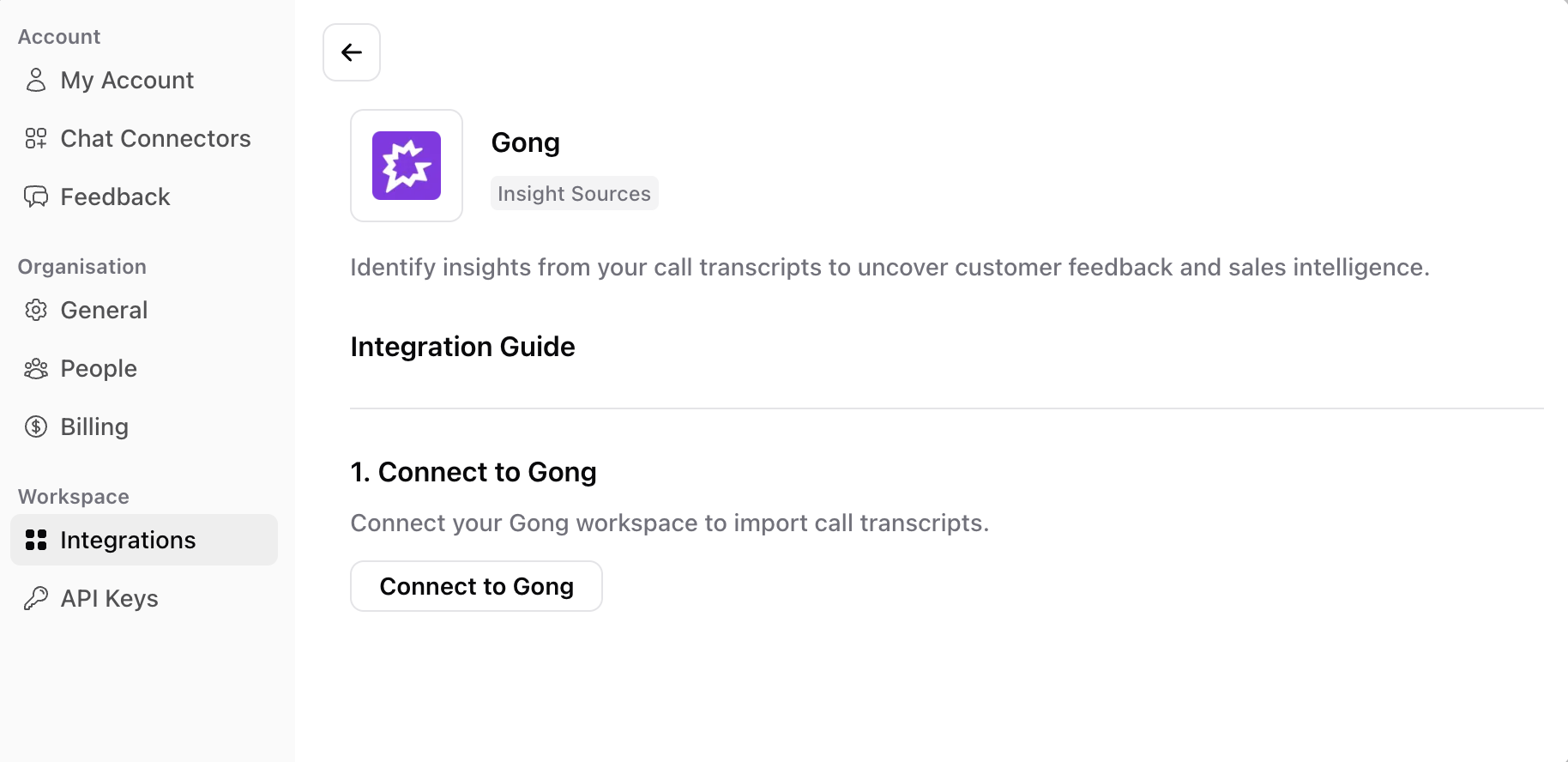 2. Find Gong and click **Connect**
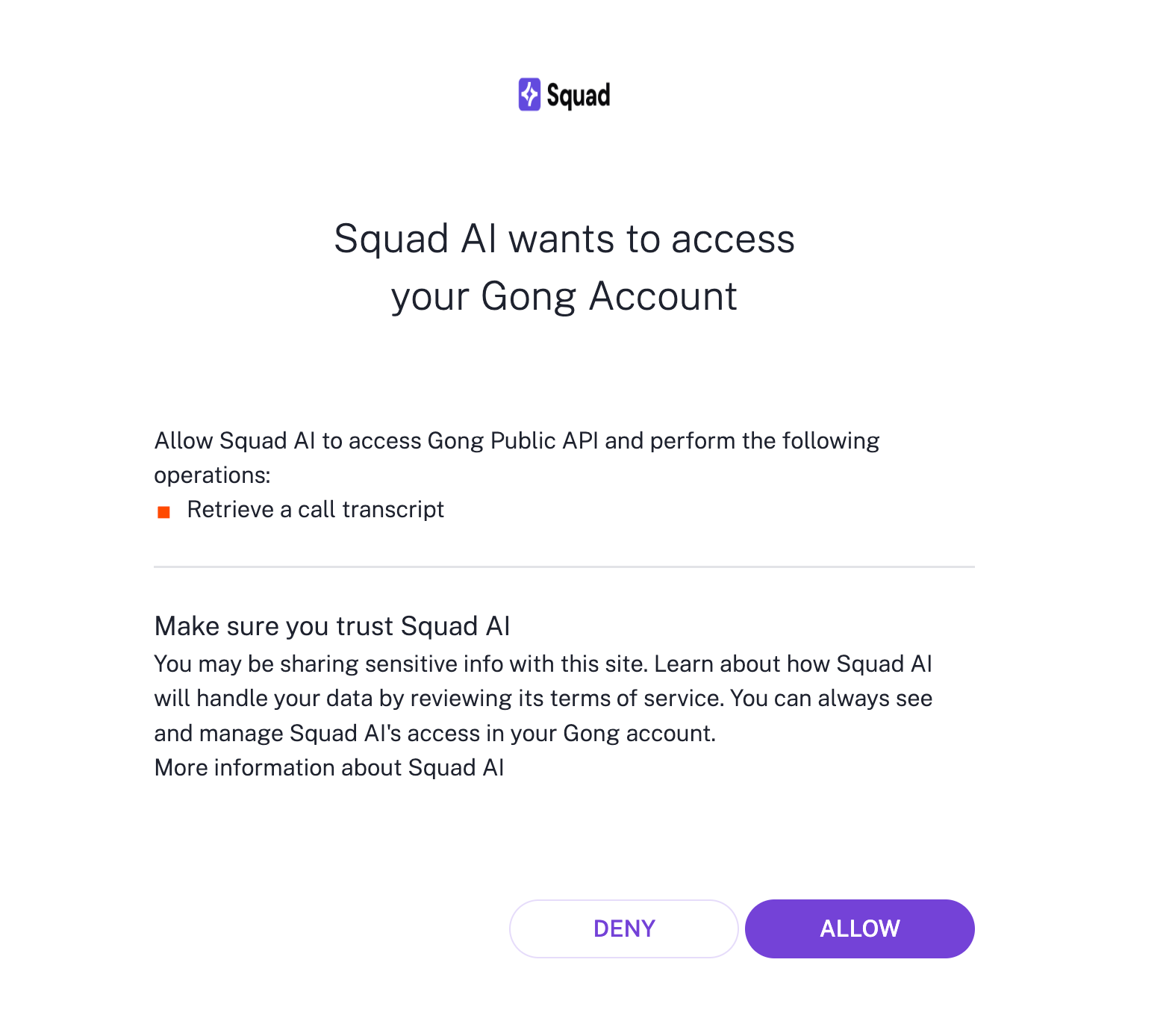
3. Complete the OAuth flow to allow Squad to access your Gong workspace
2. Find Gong and click **Connect**
3. Complete the OAuth flow to allow Squad to access your Gong workspace
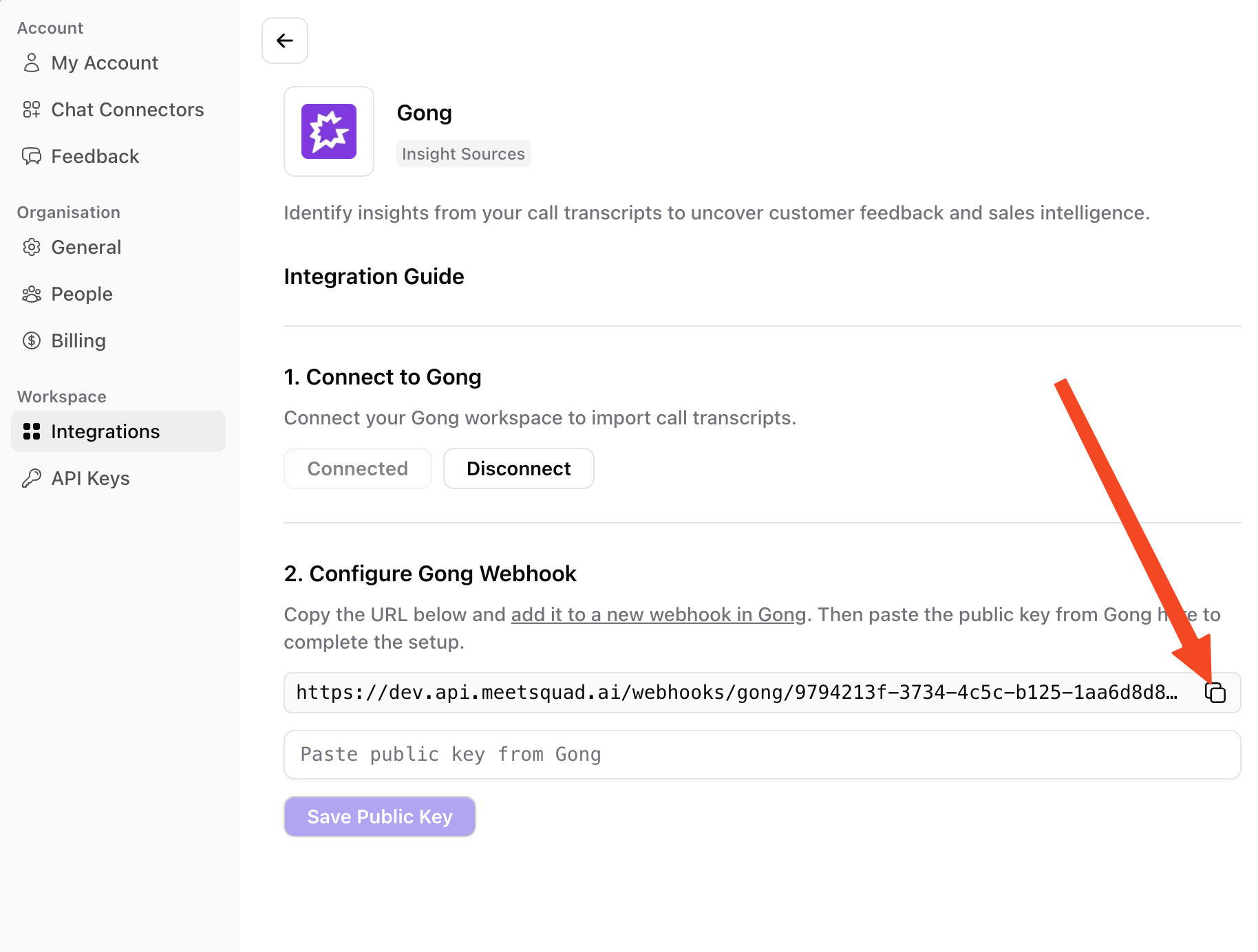
 1. Copy the webhook URL shown in Squad
 2. In Gong, go to **Admin Center**
3. Under **Ecosystem**, click **Automation rules**
4. Click **+ Add Rule** in the top right
5. Choose **New call** as the trigger and add filters if needed
6. Paste the Squad webhook URL in the **URL** field
7. Under **Select authentication method**, choose **Signed JWT header**
8. Set the **Rule status** to **Enabled**
For detailed instructions, see [Gong's webhook documentation](https://help.gong.io/docs/create-a-webhook-rule).
2. In Gong, go to **Admin Center**
3. Under **Ecosystem**, click **Automation rules**
4. Click **+ Add Rule** in the top right
5. Choose **New call** as the trigger and add filters if needed
6. Paste the Squad webhook URL in the **URL** field
7. Under **Select authentication method**, choose **Signed JWT header**
8. Set the **Rule status** to **Enabled**
For detailed instructions, see [Gong's webhook documentation](https://help.gong.io/docs/create-a-webhook-rule).
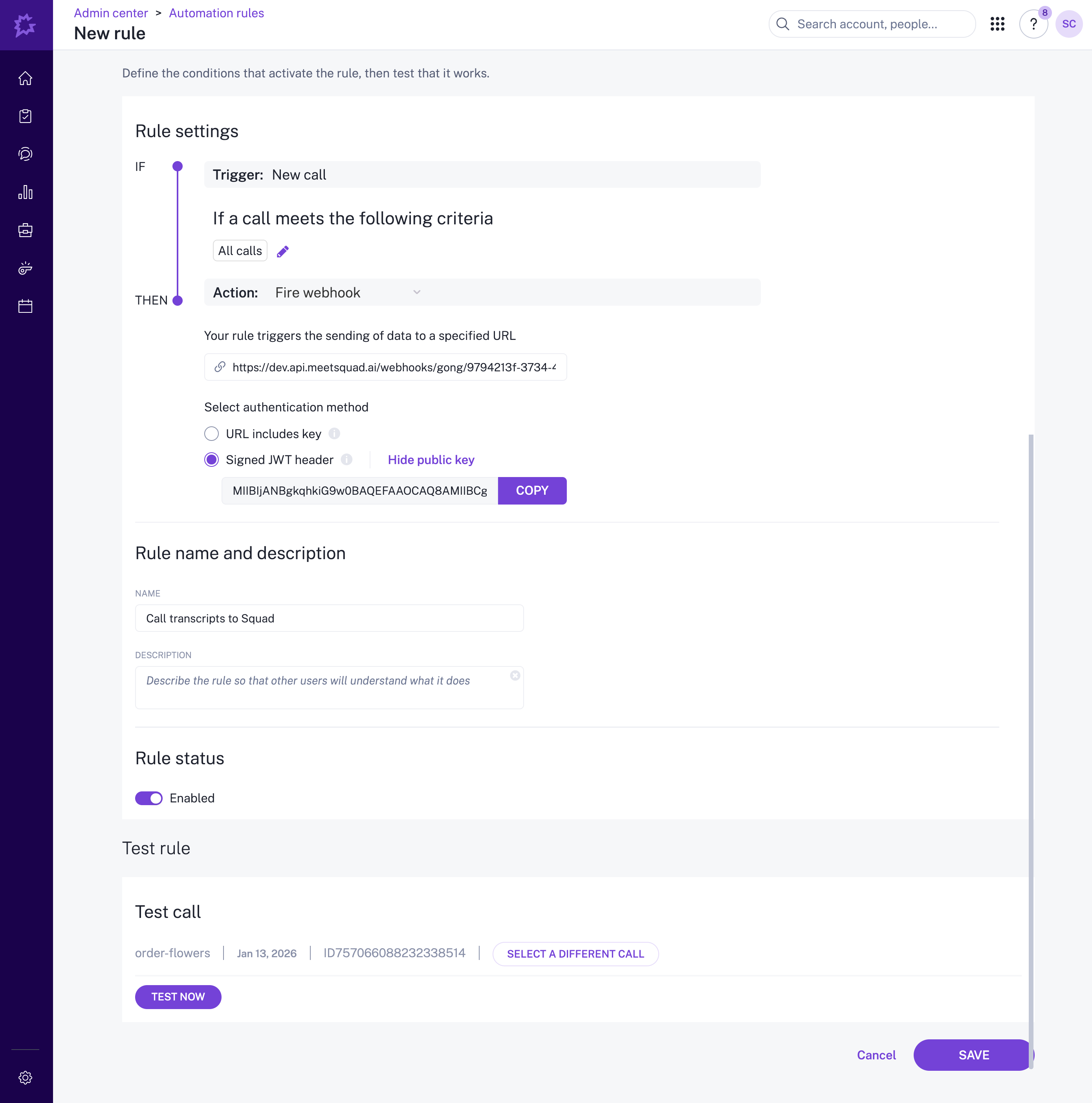 1. Click **Show public key** next to the Signed JWT header option
2. Copy the public key and paste it into Squad to complete the setup
1. Click **Show public key** next to the Signed JWT header option
2. Copy the public key and paste it into Squad to complete the setup
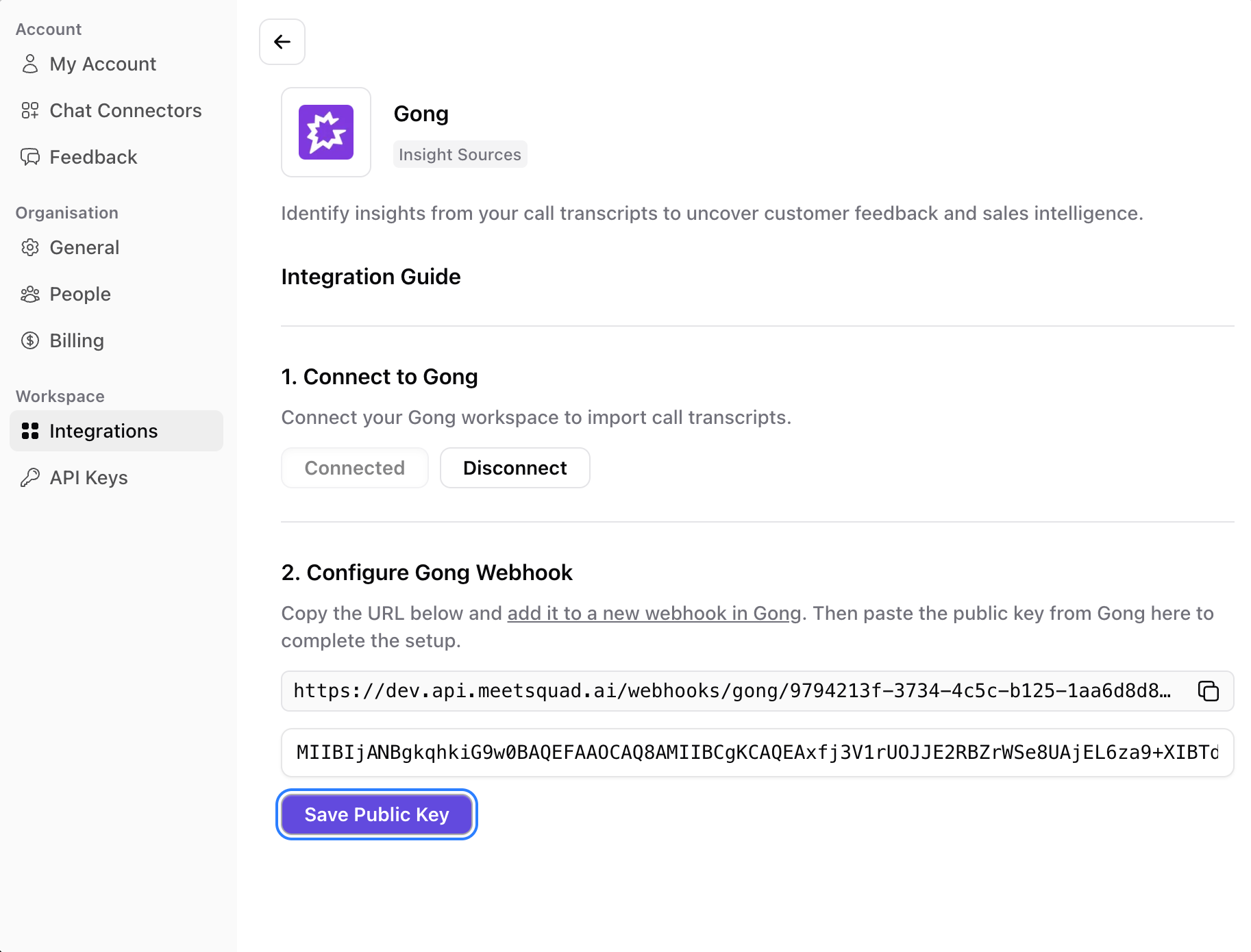 That's it! Monitor the [Insights](/features/insights) page for new insights and opportunities from your calls.
Squad can only process call transcripts from the moment you connect the integration. Historical calls are not automatically imported.
## What Squad syncs
* Call transcripts added as feedback to Squad AI
**Real-time**: Squad receives webhook events when calls complete and adds transcripts as feedback for analysis.
Squad only processes calls in real-time from the moment of connection. Historical call recordings are not automatically imported.
## How it works
When you connect Gong, Squad listens for call completion webhooks. Each time a call finishes processing in Gong, the transcript is sent to Squad and added as feedback. This allows Squad to analyze your customer conversations and surface valuable insights about your product.
## Common use cases
1. **Sales-driven product insights:** Identify recurring objections, feature requests, and competitive mentions from sales calls to inform your product roadmap
2. **Customer sentiment tracking:** Monitor how customers and prospects feel about your product based on call conversation tone
3. **Win/loss analysis:** Understand what product factors contribute to deal outcomes by analyzing call patterns
## Disconnecting the integration
To stop Squad from receiving Gong call transcripts:
1. Navigate to the integrations section in Squad
2. Find the Gong integration and click **Disconnect**
3. This will immediately stop Squad from processing new call events
You may also want to disable or delete the automation rule in Gong to fully remove the integration.
## Troubleshooting
* **Not seeing any insights after connecting** → Make sure you've completed all steps: OAuth connection in Squad, webhook rule created in Gong with **Signed JWT header** selected, and public key saved in Squad.
* **Automation rule not triggering** → In Gong, go to **Admin Center → Ecosystem → Automation rules** and verify the rule status is set to **Enabled**. Disabled rules won't send webhook events to Squad.
* **Webhook verification failed** → Ensure you copied the correct public key from Gong. Click **Show public key** next to the Signed JWT header option to view it.
* **Want to import historical calls** → [Contact support](mailto:support@meetsquad.ai) to discuss options for importing past call data.
* **Insights stopped appearing** → Check that the automation rule is still enabled in Gong and that the OAuth connection is still active in Squad's integrations page.
That's it! Monitor the [Insights](/features/insights) page for new insights and opportunities from your calls.
Squad can only process call transcripts from the moment you connect the integration. Historical calls are not automatically imported.
## What Squad syncs
* Call transcripts added as feedback to Squad AI
**Real-time**: Squad receives webhook events when calls complete and adds transcripts as feedback for analysis.
Squad only processes calls in real-time from the moment of connection. Historical call recordings are not automatically imported.
## How it works
When you connect Gong, Squad listens for call completion webhooks. Each time a call finishes processing in Gong, the transcript is sent to Squad and added as feedback. This allows Squad to analyze your customer conversations and surface valuable insights about your product.
## Common use cases
1. **Sales-driven product insights:** Identify recurring objections, feature requests, and competitive mentions from sales calls to inform your product roadmap
2. **Customer sentiment tracking:** Monitor how customers and prospects feel about your product based on call conversation tone
3. **Win/loss analysis:** Understand what product factors contribute to deal outcomes by analyzing call patterns
## Disconnecting the integration
To stop Squad from receiving Gong call transcripts:
1. Navigate to the integrations section in Squad
2. Find the Gong integration and click **Disconnect**
3. This will immediately stop Squad from processing new call events
You may also want to disable or delete the automation rule in Gong to fully remove the integration.
## Troubleshooting
* **Not seeing any insights after connecting** → Make sure you've completed all steps: OAuth connection in Squad, webhook rule created in Gong with **Signed JWT header** selected, and public key saved in Squad.
* **Automation rule not triggering** → In Gong, go to **Admin Center → Ecosystem → Automation rules** and verify the rule status is set to **Enabled**. Disabled rules won't send webhook events to Squad.
* **Webhook verification failed** → Ensure you copied the correct public key from Gong. Click **Show public key** next to the Signed JWT header option to view it.
* **Want to import historical calls** → [Contact support](mailto:support@meetsquad.ai) to discuss options for importing past call data.
* **Insights stopped appearing** → Check that the automation rule is still enabled in Gong and that the OAuth connection is still active in Squad's integrations page.