> ## Documentation Index
> Fetch the complete documentation index at: https://docs.meetsquad.ai/llms.txt
> Use this file to discover all available pages before exploring further.
# Signal clusters
> The themes that emerge when many separate pieces of feedback are saying the same thing.
A cluster is what many signals look like when you stand back from them. One signal is a single
customer sentence. A cluster is the shape a hundred of those sentences form: "slow dashboard
loads", "requests for SSO", "confusion in onboarding". Clusters are where a complaint stops being
anecdote and starts being evidence.
 For how clusters fit between signals and insights, see [The evidence pipeline](/pipeline).
## Where clusters live
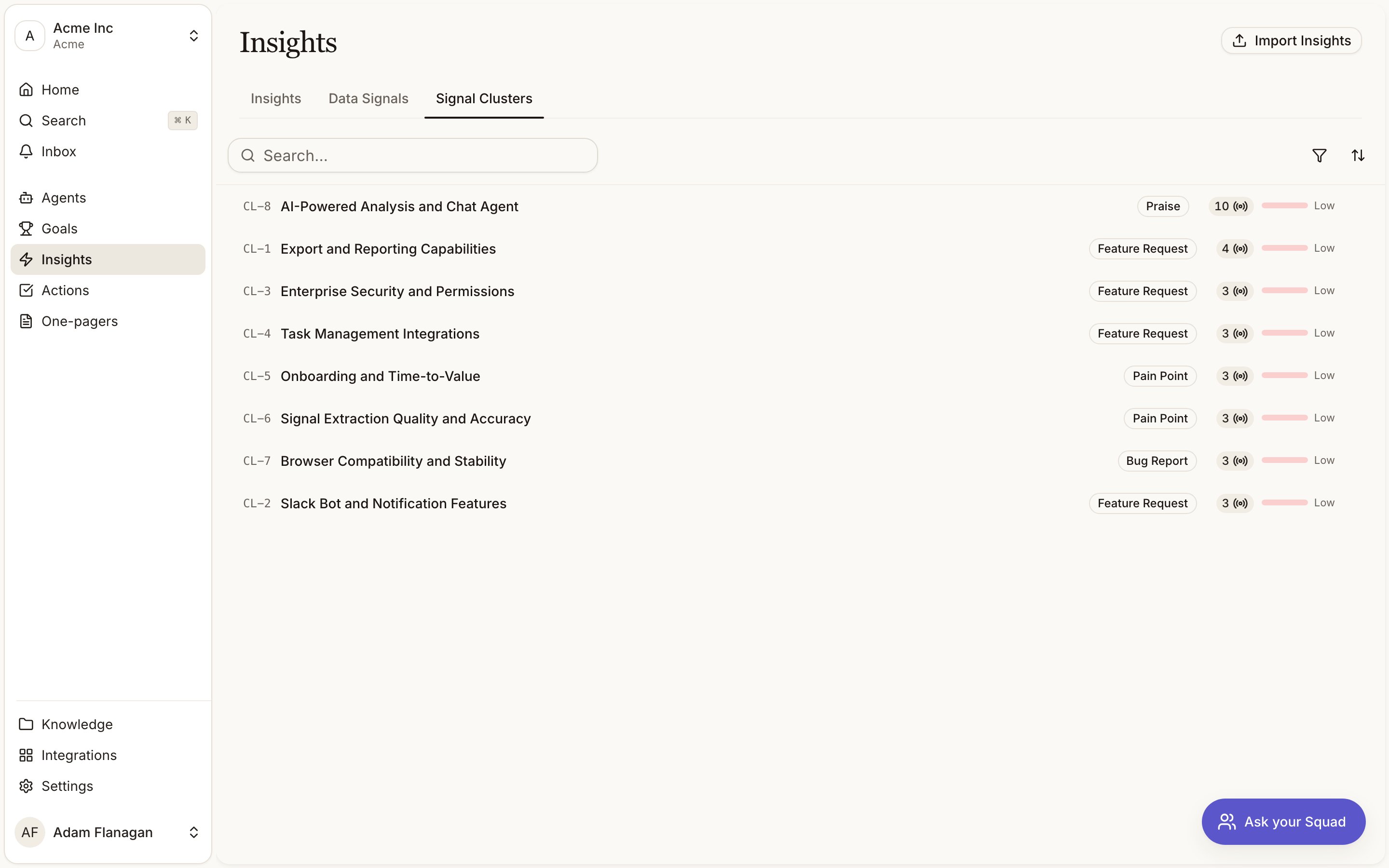
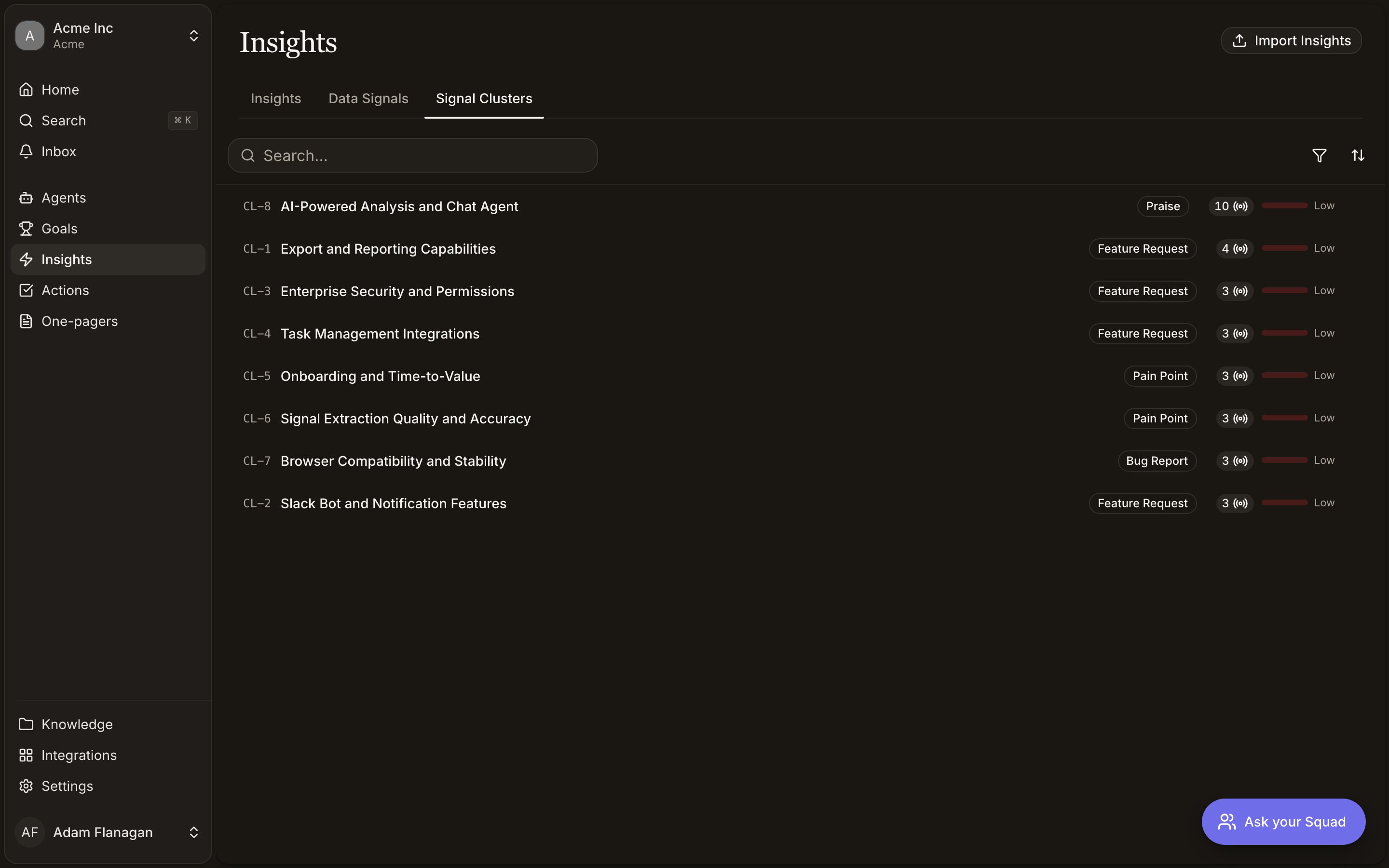
Signal Clusters is the third tab on the **Insights** page, next to **Insights** and **Data
Signals**. A cluster gets a `CL-` reference (`CL-12`) and a theme label once Squad has named it.
## How a cluster gets its name
You do not create clusters. Squad forms them as signals arrive, comparing each new signal against
the existing clusters of the same type and either adding it to the closest match or starting a new
one.
Naming waits for evidence. A cluster stays as **Pending label** until it reaches three members. At
that point Squad reads a diverse sample of the members and writes a short theme label plus a
**confidence** score for how well the grouping holds together. Around 0.9 means one clear theme.
Around 0.6 means mostly coherent. If the members are too jumbled to name honestly, Squad writes
nothing rather than inventing a label.
Labels get refreshed as clusters grow, and a nightly pass revisits clusters whose membership has
changed. A grouping that has drifted too far apart is dissolved and its signals go back into the
pool to be regrouped.
## The clusters list
One row per cluster:
* **Theme.** The `CL-` reference, the label (or **Pending label**), and a type badge where one applies.
* **Data Signals.** How many signals belong to the cluster.
* **Confidence.** A bar showing how sure Squad is about the label.
Filter by **Data Signals** count (presets 3, 5, 10, 25), by **Confidence** (0.2, 0.4, 0.6, 0.8), or
by **Type**. Sorting and filters live in the URL, so a filtered view is shareable. Click a row to
open the cluster.
Types are the same seven a signal can carry: pain point, feature request, bug report, praise, churn
risk, competitive intel, and agent insight. A cluster only ever contains one type, so a bug report
never lands in the same group as a feature request even when the wording is close.
## Inside a cluster
**Members.** The signals that make up the theme. The five most recent show as quote cards so you can
read the real feedback without clicking through. Larger clusters get a paginated table below with
the rest. Every quote links back to its signal.
**Info.** Type, signal count, how many insights the cluster has produced, label confidence, and when
it was last labelled.
**Insights.** The insights Squad synthesised from this cluster. This is what tells you whether the
theme has become something you can act on. More than three, and **View all** opens the full list. A
young cluster will show none yet.
The page stays live. New members and refreshed labels appear without a reload.
## How to read a cluster
A theme worth trusting.
An early hint that will either firm up or fade.
Use the **Members** quotes to sanity-check that the grouping holds. If the quotes are talking about
different things, the confidence score has usually already said so.
Treat the **Insights** panel as the exit. A large, confident cluster with no linked insight means
the evidence is there but the conclusion has not been drawn yet.
## Cookbook
**Find out what is driving a spike in complaints.** Open the **Signal Clusters** tab, filter
**Type** to pain point, and sort by **Data Signals** descending. Open the largest cluster and skim
the member quotes. If there is a linked `IN-` insight, follow it to see the score and what Squad
recommends.
**Sanity-check a theme before you quote it.** Open the cluster, read its confidence in **Info**,
then read the member quotes. If the label says "billing confusion" and half the quotes are about
export speed, do not build a case on it.
For how clusters fit between signals and insights, see [The evidence pipeline](/pipeline).
## Where clusters live
Signal Clusters is the third tab on the **Insights** page, next to **Insights** and **Data
Signals**. A cluster gets a `CL-` reference (`CL-12`) and a theme label once Squad has named it.
## How a cluster gets its name
You do not create clusters. Squad forms them as signals arrive, comparing each new signal against
the existing clusters of the same type and either adding it to the closest match or starting a new
one.
Naming waits for evidence. A cluster stays as **Pending label** until it reaches three members. At
that point Squad reads a diverse sample of the members and writes a short theme label plus a
**confidence** score for how well the grouping holds together. Around 0.9 means one clear theme.
Around 0.6 means mostly coherent. If the members are too jumbled to name honestly, Squad writes
nothing rather than inventing a label.
Labels get refreshed as clusters grow, and a nightly pass revisits clusters whose membership has
changed. A grouping that has drifted too far apart is dissolved and its signals go back into the
pool to be regrouped.
## The clusters list
One row per cluster:
* **Theme.** The `CL-` reference, the label (or **Pending label**), and a type badge where one applies.
* **Data Signals.** How many signals belong to the cluster.
* **Confidence.** A bar showing how sure Squad is about the label.
Filter by **Data Signals** count (presets 3, 5, 10, 25), by **Confidence** (0.2, 0.4, 0.6, 0.8), or
by **Type**. Sorting and filters live in the URL, so a filtered view is shareable. Click a row to
open the cluster.
Types are the same seven a signal can carry: pain point, feature request, bug report, praise, churn
risk, competitive intel, and agent insight. A cluster only ever contains one type, so a bug report
never lands in the same group as a feature request even when the wording is close.
## Inside a cluster
**Members.** The signals that make up the theme. The five most recent show as quote cards so you can
read the real feedback without clicking through. Larger clusters get a paginated table below with
the rest. Every quote links back to its signal.
**Info.** Type, signal count, how many insights the cluster has produced, label confidence, and when
it was last labelled.
**Insights.** The insights Squad synthesised from this cluster. This is what tells you whether the
theme has become something you can act on. More than three, and **View all** opens the full list. A
young cluster will show none yet.
The page stays live. New members and refreshed labels appear without a reload.
## How to read a cluster
A theme worth trusting.
An early hint that will either firm up or fade.
Use the **Members** quotes to sanity-check that the grouping holds. If the quotes are talking about
different things, the confidence score has usually already said so.
Treat the **Insights** panel as the exit. A large, confident cluster with no linked insight means
the evidence is there but the conclusion has not been drawn yet.
## Cookbook
**Find out what is driving a spike in complaints.** Open the **Signal Clusters** tab, filter
**Type** to pain point, and sort by **Data Signals** descending. Open the largest cluster and skim
the member quotes. If there is a linked `IN-` insight, follow it to see the score and what Squad
recommends.
**Sanity-check a theme before you quote it.** Open the cluster, read its confidence in **Info**,
then read the member quotes. If the label says "billing confusion" and half the quotes are about
export speed, do not build a case on it.