

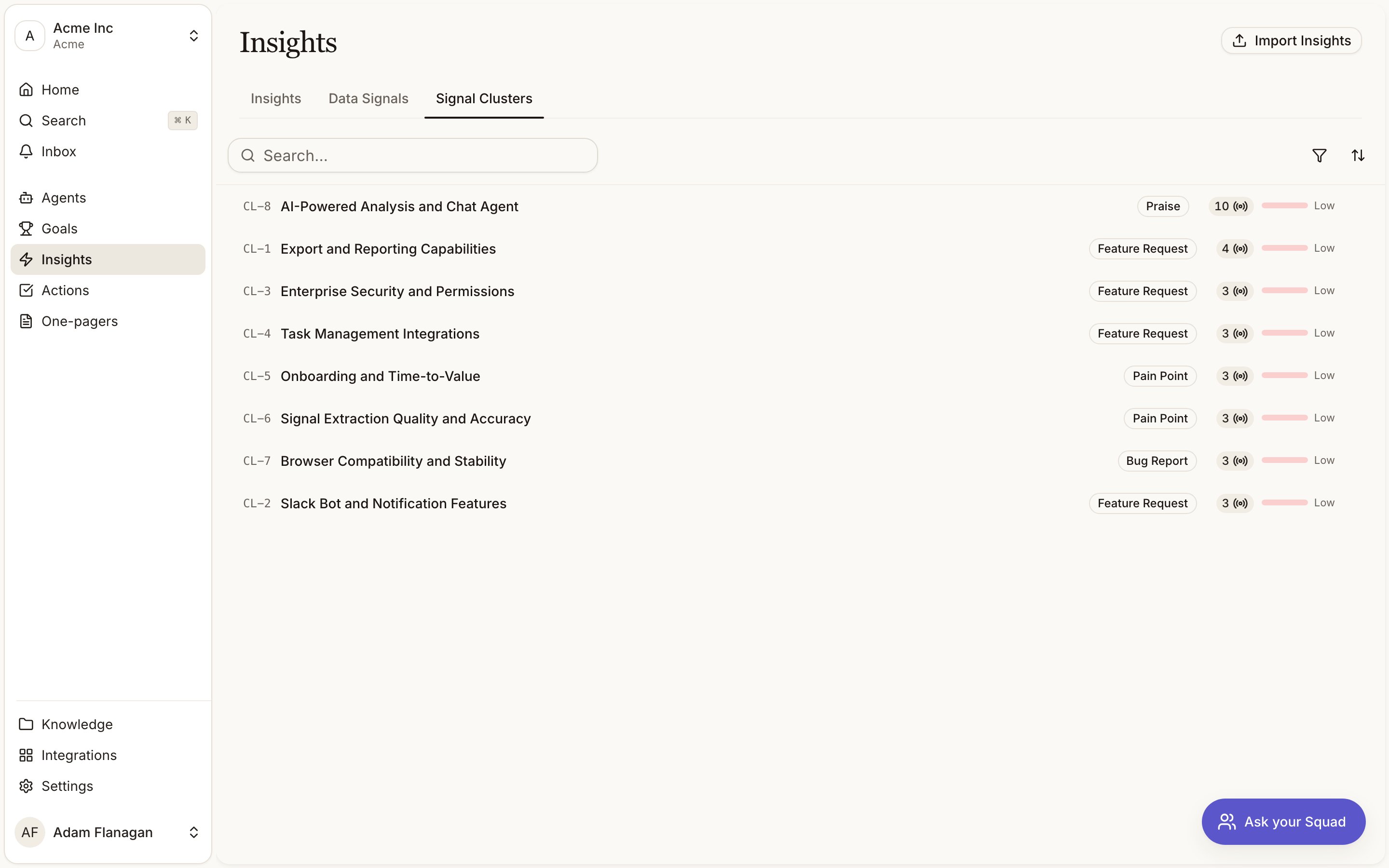
Where clusters live
Signal Clusters is the third tab on the Insights page, next to Insights and Data Signals. A cluster gets aCL- reference (CL-12) and a theme label once Squad has named it.
How a cluster gets its name
You don’t create clusters. Squad forms them as signals arrive, comparing each new signal against the existing clusters of the same type and either adding it to the closest match or starting a new one. Naming waits for evidence. A cluster stays as Pending label until it reaches three members. At that point Squad reads a diverse sample of the members and writes a short theme label plus a confidence score for how well the grouping holds together. Around 0.9 means one clear theme. Around 0.6 means mostly coherent. If the members are too jumbled to name honestly, Squad writes nothing rather than inventing a label. Labels get refreshed as clusters grow, and a nightly pass revisits clusters whose membership has changed. A grouping that has drifted too far apart is dissolved and its signals go back into the pool to be regrouped.The clusters list
One row per cluster.- Theme. The
CL-reference, the label (or Pending label), and a type badge where one applies. - Data Signals. How many signals belong to the cluster.
- Confidence. A bar showing how sure Squad is about the label.
Inside a cluster
Members. The signals that make up the theme. The five most recent show as quote cards so you can read the real feedback without clicking through. Larger clusters get a paginated table below with the rest. Every quote links back to its signal. Info. Type, signal count, how many insights the cluster has produced, label confidence, and when it was last labelled. Insights. The insights Squad synthesised from this cluster. More than three, and View all opens the full list. A young cluster will show none yet. New members and refreshed labels appear without a reload.How to read a cluster
Many signals, high confidence
A theme worth trusting.
Few signals, low confidence
An early hint that will either firm up or fade.
Cookbook
Find out what’s driving a spike in complaints. Open the Signal Clusters tab, filter Type to pain point, and sort by Data Signals descending. Open the largest cluster and skim the member quotes. If there’s a linkedIN- insight, follow it to see the score and what Squad
recommends.
Sanity-check a theme before you quote it. Open the cluster, read its confidence in Info,
then read the member quotes. If the label says “billing confusion” and half the quotes are about
export speed, don’t build a case on it.